
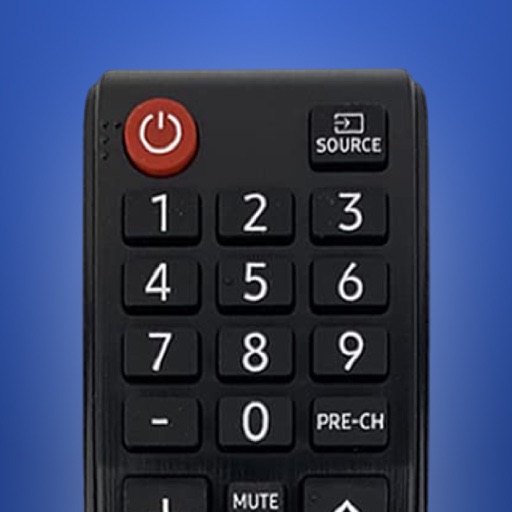
Smart Remote for Samsung TVs
TINAC Inc.
Control TV with your phone
Control TV with functions, mouse, and keyboard. Automatically reconnect to previously paired devices. Share photos from phone to TV screen. Requires same Wi-Fi network connection.

Showing 281–300 of 1,000 ranked alternatives.
TINAC Inc.
Control TV with your phone
Control TV with functions, mouse, and keyboard. Automatically reconnect to previously paired devices. Share photos from phone to TV screen. Requires same Wi-Fi network connection.

Bobby Fischer
Watch shows, your TV, manage content
Manage your Smart TV with a multi-button interface. playback, adjust volume, and navigate menus. Access streaming services like Netflix, Prime Video, and YouTube with dedicated buttons.

Power Mobile Life LLC
Control devices with touchpad, keyboard, and buttons
Control smart projector or soundbar using touchpad, virtual keyboard, and function buttons. Adjust settings, navigate menus, and manage device functions directly from the .

Khanh Le
Control TV with one
Allows users to control TVs via Wi-Fi. It detects TVs automatically, navigates channels, and accesses default system tabs. Users can manage playback, adjust settings, and mirror content from iOS devices to TVs.


AppLiks Sp. z O.O.
Your smart TV with iPhone
Smart TV functions such as channel navigation, volume, and menu access. Manage playback controls like play, pause, and stop. Adjust settings and access tools through the iPhone interface. Requires both devices to be on the same Wi-Fi network.


Ihor Bilous
TV apps and adjust volume
TV functions via smartphone without a physical . Change channels, navigate menus, and manage launches. Adjust volume, pause, and rewind content. Connect to TV over Wi-Fi on the same network.

Ritam Sarmah
Customize video playback and speed
Control video playback speed and customize keyboard shortcuts for media functions. Manage play, pause, skip, mute, and Picture-in-Picture. Supports AirPlay and works with YouTube, Netflix, Hulu, and other platforms.

Jehad Emad
Stream content, your TV remotely
TV functions via smartphone. Adjust volume, change channels, and navigate menus. Manage streaming apps and playback. Pair with multiple devices. Access voice commands and screen mirroring.

Zhengzhou Zhijian Intelligence Technology Co., Ltd.
Connect to TV, control
Connect to the same Wi-Fi network as your TV to control it. Turn the TV on/off, switch channels, adjust volume, and manage content playback. Use a touchpad and voice input for navigation.

Talbot Lail
TV playback and adjust volume remotely
Allows users to adjust volume, change channels, and playback. Launch apps, navigate menus with swipe gestures, and type using a phone keyboard. Connect via Wi-Fi for quick pairing.

Gorak Markovic
Control your TV with a mobile
Control TV functions like channel changing, volume adjustment, power on/off, and more. Use built-in keyboard for typing and searching. Connect via Wi-Fi for operation.

Vortexzm Technology Co., Ltd.
Control your TV with your phone
Control your smart TV with an iPhone that replicates traditional functions. Adjust volume, change channels, and navigate menus. Support for popular TV brands. Pair via Bluetooth or infrared.

Pylab
Control your LG Smart TV remotely
Control your LG Smart TV by accessing menus and apps like Netflix, Amazon, and Spotify. Change channels, adjust volume, and schedule recordings. Navigate the TV interface without a physical .

HFR TECH LLC
Stream live TV and on-demand content
Stream live TV channels and on-demand content in HD, Full HD, and 4K. Navigate through an organized channel list. Adjust playback speed and subtitle options. Pause, rewind, and fast-forward content. Save favorite channels for quick access.

Mushuk Software, MChJ
Cast to TV instantly
Cast device to compatible TVs and projectors. Mirror iPhone or iPad content without lag or delay. Cast over unsecured networks. No ads during casting. Share content directly to supported devices. Control casting with simple interface.

Apps are ranked by functional similarity, category fit, rating confidence, and popularity.