Capture photos and videos using the . Save media to mobile device. Share captured content with friends. View and manage stored files. Edit images with basic tools. Record and save video clips.
by Anipen Inc.★ 3.237 ratingsPhoto & VideoFreeData updated 2026-09-23
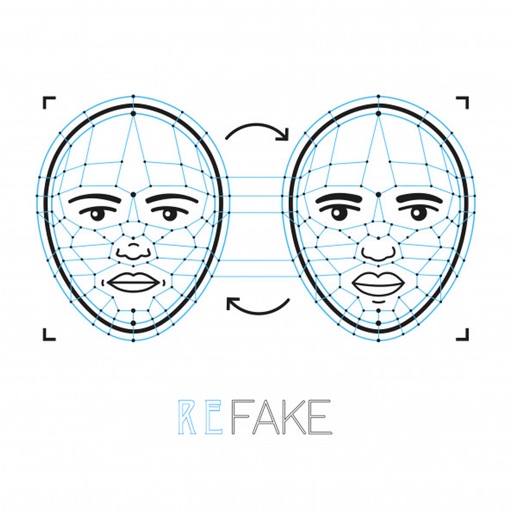
Faces in photos by selecting two images and exchanging them. Save edited photos to the gallery. Share results on social media platforms. Edit with tools like cropping, adding text and stickers, drawing, and rotating objects.
Create and edit videos by applying various effects to footage. Slice and rearrange clips from different times and spaces. Snap photos and record videos to share with others.
Convert videos to high-quality images by importing files from your library. Scroll through to find the shot. Save selected images directly to your device.
Record videos and images from a distance. Configure safety mode for controlled flight. Capture panoramic 360-degree views. Access instructional content for drone operation. Enable aerial photography features.
Edit videos and photos using LUTs for color grading. Import and apply over 2500 presets. Record videos and take photos with applied LUTs. Adjust color and exposure settings. Export edited media in various formats.
Arthur Eduardo Skaetta Alvarez Desenvolvimento de Software LTDA.
Videos from your device
Create loops from existing videos by selecting them from the Camera Roll or device files. Adjust speed, duration, and start point. Export loops as clips or GIFs without watermarks.
Capture 360 photos and videos using a camera. Edit media, browse community content, and refine selections. Share 360 media directly to social platforms. Go live in 360 on supported sites or custom platforms.
Record video and photos with full manual controls for exposure, focus, and white balance. Adjust creative looks and apply filters. Switch between stills and video modes. Export files in high-quality formats and share directly.
Browse and manage albums, create and rename folders, search and edit media files. Delete or move photos and videos between albums. Add to favorites, set album images, and upload with customizable size, quality, and metadata.
Edit photos using professionally crafted Lightroom . Apply filters, adjust colors, and enhance images for social media. Save and organize . Export edited photos for Instagram and other platforms.
Create and edit images with basic drawing tools. Draw freehand or use shapes and lines. Add text and colors. Save and share drawings directly. Import and modify existing images.
Capture moments with video and photo recording. Edit videos with trimming and effects. Add text and music. Share directly or save to cloud. Record daily routines or cooking steps. Capture spontaneous events like parties and celebrations.
Control switchers, record videos, edit clips, manage
Control live video productions with switcher functions, macros, audio, media, and editing tools. Manage transitions, layouts, and shortcuts. Record and stream directly from the device.
Capture photos using a built-in camera and save them to selected albums. Create double exposures or use booth mode. Organize media into albums and browse for specific images. Edit photos with filters, cropping, and adjustments.
Arthur Eduardo Skaetta Alvarez Desenvolvimento de Software LTDA.
Edit photos and unwanted content
Unwanted content from photos by selecting and painting over areas to . Use zoom and move tools to visualize the subject. Edit photos offline without internet connection. Save and share edited images directly.
And secure photos and videos with AI-based encryption. personal albums and sensitive content. Set passwords and biometric locks. Manage access permissions and backup media files securely.
Add accurate GPS data to photos and videos. View maps with exact coordinates. Share -stamped media directly. Edit and organize geotagged content. Sync with cloud storage for backup and access.
Record videos and photos in portrait orientation. Use real-time zoom for adjustable framing. Stabilize videos during movement. Capture FullHD images with clear detail. Share media directly from the notification center.
Store and hide photos, videos, and files in an encrypted . Access hidden media directly within the . Play videos without unlocking. Securely save audio files, notes, and contacts. Protect sensitive data with strong encryption.