Apps Like White Background Frame for iPhone and iPad
Photos and adjust layouts
And edit photos with customizable size formats. Choose from square, portrait, or landscape. Add photos from the library and adjust their position, rotation, and size. Use the adjustments tool for precise edits.
by Thomas Lojko★ 4.6699 ratingsPhoto & VideoFreeData updated 2026-09-22
Record high-resolution video in multiple aspect ratios and frame rates. Adjust focus, exposure, tint, and temperature with swipe gestures. Create and save custom aspect ratios. Crop media or optimize for Instagram using color-based mattes.
Create custom photo templates and choose from multiple layouts. Share photos via email, AirDrop, WhatsApp, or iMessage. Print photos using AirPrint. Add hundreds of stickers and filters to enhance images.
Remove unwanted parts of photos using AI-powered erasing. Add colors or images to create new backgrounds. Crop, draw over, and undo edits. Zoom for precision and blur edges. Save and share edited photos.
The app allows users to crop photos into a square shape for posting on Instagram. It supports both landscape and portrait orientations and offers various background options and effects.
Allows users to cut, delete, and reverse clips. Apply real-time beauty filters and crop videos with white space. Rotate, flip, or merge multiple videos. Add music from a library and convert videos to GIF or live photo formats.
Save photos with GPS location and timestamp. Set names and dates. Share photos directly. Search for places and export to Photos . Includes iMessage sticker and widget for quick access.
Try on facial hair using AI-generated images. Adjust and moustache shapes, lengths, and colors. Save preferred looks and share them with others. Compare different side by side.
Upload photos and apply animated effects like Explode, Melt, Crush, Cake-ify, Inflate, and Squish. Select objects to modify and preview changes in real time. Share videos directly or export in various formats.
Create digital cards by selecting themes and adding decorative elements like flowers and frames. Enhance photos with beauty accessories and customize them using various items. Save or share cards on social media.
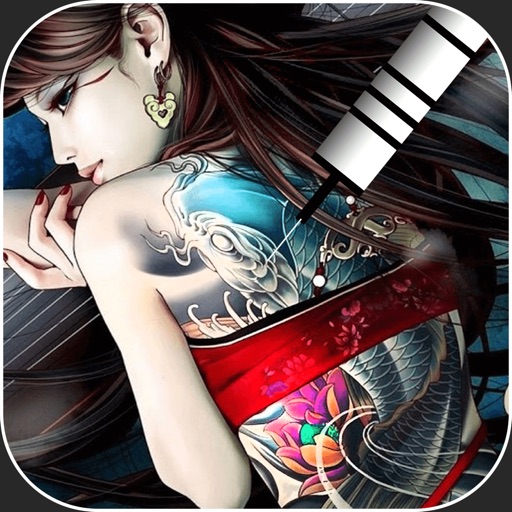
Create virtual tattoos on photos by selecting from 100+ black and white or 60+ color totems. Add text or captions and adjust position, rotation, size, font, or color. Save edited images to the photo library or share via social media.
Replace in photos with customizable options using Timelapse Technology. Apply AI-generated with BrainFeverAI Sky Detection. Edit and export photos with enhanced visual effects. Sync with NFT artwork for creative integration.
Create by selecting from various and adding photos from the gallery or camera. Adjust photos with zoom, rotate, and move gestures. Save and share customized greeting through social networks.
Edit photos by adding customizable borders and frames. Choose from a variety of free frames for social media profiles. Save and share edited images on platforms like Instagram, Facebook, Twitter, WhatsApp, and YouTube.
Create photo collages by combining 2 to 9 images into one. Adjust size, position, and layout. Choose from various templates and styles. Add stickers, frames, effects, and patterns. Share finished collages directly.