Apps Like BG Remove: Background Editor for iPhone and iPad
Remove from photos
Remove backgrounds from photos using AI. Select images from the gallery, automatically detect and cut around people or objects. Save as transparent PNG or replace with HD backgrounds. Edit and share edited photos directly.
by Pankaj Yadav★ 4.3880 ratingsPhoto & VideoFreeData updated 2026-09-22
Create magical memories by editing photos with AI-powered cleanup, adding cute stickers, and applying dreamy filters. Build milestone albums to celebrate growth and special moments. Share edited photos directly from the .
Create videos from text or images using AI effects. Apply AI-generated hairstyles and outfits to profile photos. rt in cartoon styles or old school yearbook trends. Add face filters and makeup to photos.
Edit photos by removing backgrounds with mode, object extraction, and quick select tools. Use transparent backgrounds for stamps and collages. Share edited images directly with other apps.
Unwanted objects, people, text, and blemishes from photos using AI-powered retouching. Erase elements with one tap for natural results. Adjust and refine edits to achieve desired outcomes. Share edited photos directly.
Unwanted objects from photos using AI-powered erasing tools. Edit images with cropping, filters, and adjustments. Retouch photos by removing people or backgrounds. Share edited images directly.
Edit photos with AI-powered background removal and replacement. Choose transparent, white, or custom scene backgrounds. Generate realistic shadows and adjust lighting. Export in high-quality formats and share directly.
Crop, rotate, flip, and resize photos without quality loss. Scale images for social media formats. Edit photos with blurs, patterns, and text fonts. Apply 180 art masks. Share edited content directly.
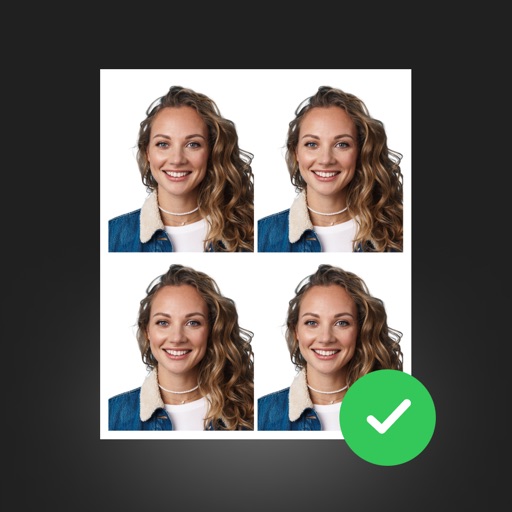
Create professional ID photos with AI tools. Automatically detect faces and remove backgrounds. Resize and crop portraits to fit official sizes. Support multiple countries' requirements. Generate printable -sized images for children and adults.
Create photo collages and composite images using multiple layers. Remove unwanted areas with the background eraser tool. Adjust color tones and export edited photos in various formats.
Remove unwanted objects from photos using AI-powered erasing tools. Mark or tap objects to delete them. Replace or remove backgrounds with new ones. Automatically cut out objects with a tap. Undo or redo changes.
Create collages by combining up to 20 photos with backgrounds, stickers, and drawing tools. Apply filters, borders, and fonts to enhance images. Share collages on Facebook, Instagram, and other platforms.
Objects, people, or blemishes from photos. Edit backgrounds and save as PNG or JPG. Crop images, add text, filters, logos, or watermarks. Use one-click background removal and clipping tools.
Enhance photos with AI-powered adjustments. Improve facial details and skin texture. Remove scratches and restore old images. Compare before and after edits. Save and share edited photos.