The app provides clinicians with an iPad viewer for the Axis Ophthalmic Image Management system. It allows users to view patient images, navigate OCT scans, and utilize various display modes.
Access medical tools for exams. Perform distance vision testing with Apple Watch remote. Use LiDAR exophthalmometer and various optotype tests. Capture fundus photos with Ullman Indirect. Measure astigmatism with gyroscope-stabilized dial.
Record ophthalmic pathology and patient data with doctor's diagnostic notes. Capture anterior segment images using QuikVue adaptor. Capture meibomian glands images with MeiboVue camera. Store and manage case information for dry eye diagnosis.
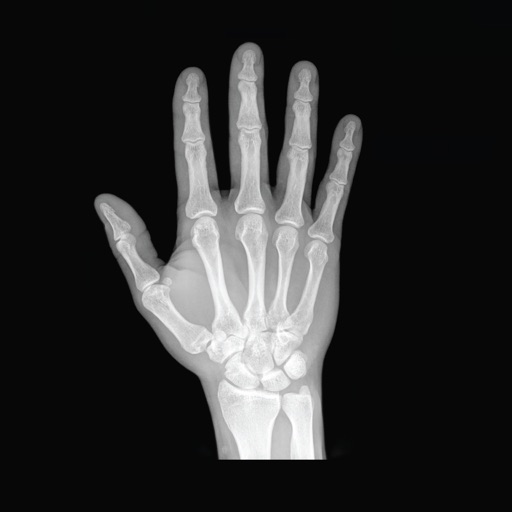
View and organize DICOM medical images from X-ray, CT, MRI, and ultrasound scans. Store and share images for health record-keeping. Use Link to transfer files between devices. Navigate through images with zoom, pan, and rotation tools.
Schedule consultations and share health data securely
Schedule telehealth consultations via video or chat. Make credit card payments and review visit history. Access doctor’s notes and integrate with Apple Health. Send and receive HIPAA-compliant messages.
Measure pupillary distance using computer vision. Input glasses measurements to calculate Rx details. Generate printable prescriptions for glasses or VR headsets. Save and share measurement results securely.
Access clinical information offline for studying, exams, or patient care. Interpret diagnostic images with overlays. Use evidence-based tools for patient management and documentation. Retrieve answers to clinical questions quickly.
View and analyze medical images and reports received via encrypted DICOM files or PDFs. Access study details and patient information securely through the cloud. Receive images and documents from ImageGrid PACS systems.
Browse organized into 10+ categories including Diagnostic, Laboratory, and Imaging. View detailed images and descriptions of each instrument. Access information on usage and common applications in surgical and clinical settings.
View and analyze DICOM images from various modalities including US, CT, MRI, and PET. Query and retrieve images via DICOM network protocols such as C-Find SCU, C-GET SCU, and WADO. Display images directly from PACS or compatible software.
View DICOM and non-DICOM medical images and reports. Access radiology, cardiology, and 3D imaging. Support dermatology, ophthalmology, surgery, ultrasound, and endoscopy. Securely stream images via iOS devices.
Access patient charts, update medical records, and manage appointments remotely. View lab results, prescribe medications, and send secure messages. Sync with cloud-based EHR system for real-time updates and staff access.