Teaches letter shapes and pronunciation. Guides correct letter formation with start points, strokes, and direction. Includes difficulty levels for assisted . Allows to practice handwriting in a game-based learning environment.
Create custom cards with seasonal templates. Choose from 100+ designs. Use 10 paint brushes and 50 texture brushes. Select colors with an easy picker. Zoom in/out on small blocks. Record coloring sessions as animations.
Manage school or university schedules by adding and viewing classes weekly. Set events and sync across devices. Use Siri to check next . Import and export data. Support iCloud, Apple Watch, and iPad. Include task management and multi-week views.
Colored in bottles by pouring between connected vessels. Match colors in each glass to complete puzzles. Challenge with 1000 levels. Track progress and replay previous levels.
Organize notes, review content, and apply insights
Organize and annotate documents and webpages with drag-and-drop notes. Connect ideas across multiple sources with lines and comments. Compare document sections by resizing. Build notes and refine thoughts with editing tools.
Create art with interactive brushes like slime, tie-dye, and fire. Design with mini games such as Friendship Bracelet Creator. Use art history themed stickers and seasonal holiday packs. Choose from 150+ colors including pastels and neons.
The app provides a complete Quran with translations and recitations. It includes features like bookmarks, notes, and multiple translations for deeper understanding.
TOYA TAP: PRESCHOOL AND KINDERGARTEN FREE LEARNING PUZZLES GAMES FOR KIDS TODDLERS LTD
Count numbers, match quantities, estimate amounts
Learn to count to 20 and match numbers to quantities. Estimate amounts and recognize numerals. Practice number values through interactive gameplay. Track progress with built-in assessments. Sync learning data across devices.
Create and annotate digital content. Record instructional videos and share with students. Collaborate by having students explain concepts and create content. Store lessons securely in an online account for access anytime.
Select presets from brands like Prismacolor and Faber Castell. Import reference images to begin color picking. Choose from predefined sets including 150s, 132s, 72s, and 48s.
Teaches children to correctly using animated step-by-step guidance. Features include drawing animals, flowers, and objects with assisted strokes. Includes difficulty levels to practice sketch formation and fine motor skills.
Create art with and drawing tools. Select from animal images like dolphins, bats, and lions. Use brushes and pencils to color. Save and share finished artwork. Features include animated visuals and interactive elements for young children.
For allow users to paint pictures of animals and vehicles. Features include selecting colors, erasing mistakes, and saving completed artwork. learn animal and vehicle names while improving fine motor skills through drawing activities.
Turn iPad into a wireless whiteboard. Annotate PDFs and images live by projecting them to a computer on the same network. Draw, write, and highlight in real time using the iPad's screen. Share annotations directly from the web browser.
– allows users to solve color-sorting to improve reasoning, focus, and planning. Tap tubes to move balls, match colors, or place in empty tubes. Complete levels by organizing balls into single-color groups.
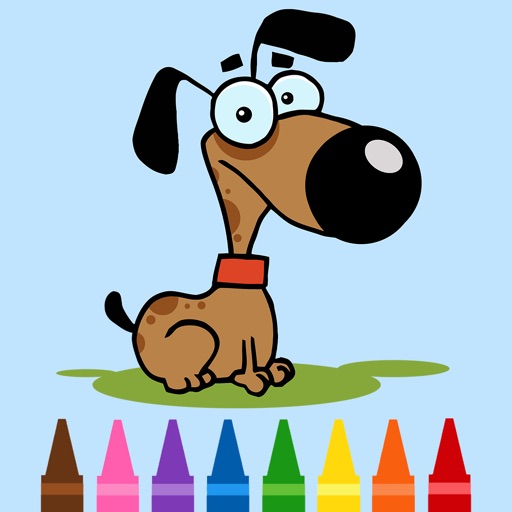
For allows painting dog pictures with fingers or stylus. Save and share completed artwork. Access a variety of dog images. Compatible with iPhone and iPad. Free to download and use.