Create and customize music with a retro . Use real YM2616 sound chips for authentic chiptune and effects. Generate pads, sound effects, drums, and leads. Adjust waveform parameters and modulation settings. Export audio files and share directly.
The app transforms an iPhone and iPad into a premium sampler and synthesizer for music production. It offers a dual-layer rompler engine and a touch-optimized workflow for creating studio-quality music anywhere.
Play piano and other instruments with realistic physical modeling. Adjust parameters like velocity and aftertouch. Load and save custom sound presets. Connect to MIDI devices for live performance. Export audio files in various formats.
Create and manipulate audio samples with granular synthesis and cloud-based sampling. Use MPE for expressive control. Access samples across iOS and desktop devices. Adjust parameters for precise sound shaping. Export and share audio files directly.
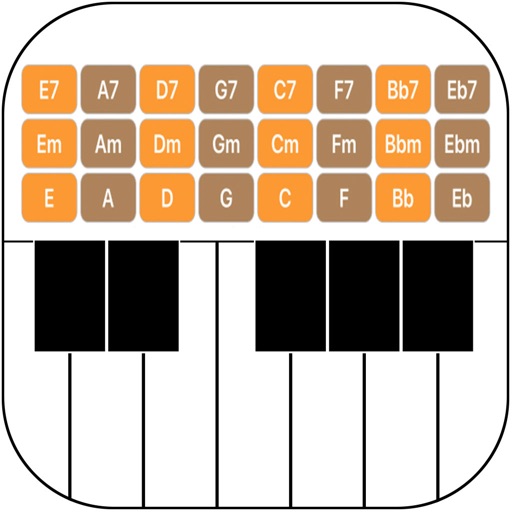
The app provides a music production environment with a piano keyboard and studio-quality instruments. It includes a multi-track sequencer for editing notes and applying effects.
Create and play with real instruments including pianos, guitars, oud, synths, and strings. Access 1,000+ multi-sampled sounds with effects and smart scripts. Use global styles and rhythms with dynamic drum kits.
Explore musical instruments and their characteristics.
The app provides details on dozens of instruments, including registers, transpositions, playability, and sound characteristics. Users can explore instruments by family, alphabet, or score order, and see highlighted registers by difficulty and timbre.
The app processes and synthesizes live voice for music creation. It offers tools like vocoders, auto pitch, and harmonizing pitch shift for diverse vocal effects and soundscapes.
Check note positions and fingering for trombone, euphonium, trumpet, tuba, and french horn. Transpose music for other instruments. Identify note names based on sound or visual representation.
MIDI/MPE controller for Studio on MacOS. Map controller inputs to parameters. Adjust modulation, velocity, and pressure sensitivity. Customize layouts and save presets. Connect via USB and support multiple devices.
Play notes by tapping keys on the screen. Adjust volume and pitch. Choose from multiple styles and sounds. Save and share performances. Sync with external devices for real-time playing.
Create and manipulate sound using FM synthesis and waveshaping techniques. Adjust oscillator parameters, filter settings, and envelope shapes. Save and load presets. Integrate with Logic Pro, GarageBand, and other AUv3 compatible hosts.
Create music by touching the screen to play notes and adjust sounds. Use multi-touch surfaces like radar, ribbon, or keyboard. Move fingers to modify tones. The semi-generative engine selects suitable notes automatically.
Turn your iPhone into an with effects. Adjust a 10-band equalizer, apply reverb with over 10 presets, add delay, or use distortion with over 20 presets. Record and share audio with applied effects.