Apps Like Grid: Photo Split & Post Maker for iPhone and iPad
Upload and share photos and videos
Share photos by clicking twice. Split images into square sections that fit together on social media. Choose from multiple layouts. Upload and edit photos with intuitive guidance. Adjust brightness, contrast, and saturation. Add text and filters.
by Dima Komar★ 4.7792 ratingsPhoto & VideoFreeData updated 2026-09-21
Create collages by combining multiple photos into one with customizable layouts. Apply one-touch filters for instant effects. Add text, letters, and stickers to photos. Export and share finished collages directly.
Create and share silly photo strips with friends. Capture multiple images in a single session. Apply funny filters and effects. Add text and stickers to images. Share photos via social media or messaging apps.
Edit photos with vintage, film, winter, and travel . Crop, adjust brightness and contrast. Add text, stickers, and borders. Export in JPEG, PNG, and HEIC formats. Share directly to social media or messaging apps.
Edit photos and videos with AI-generated anime styles, including facial enhancements and background effects. Apply filters, adjust colors, and add animated elements. Export edited content in various formats and share directly.
Create, edit, and upload photos with automatic cropping, background change, and lighting correction. Save images or send to print directly. Import photos from camera or gallery. Support multiple file formats.
Create stories for social media with pre-designed templates and editable layouts. Add text, images, and effects. Share directly to platforms. Edit stories with intuitive tools and customize designs.
Add frames, patterns, colors, and blur effects to profile pictures. Adjust background color and apply instant DP borders. Resize and rotate images for Instagram. Post full-size photos without cropping. Create images for social media.
Edit photos with romantic frames and backgrounds. Add text and stickers. Adjust brightness and contrast. Crop images and apply filters. Share edited photos directly.
Edit photos with AI hairstyle customization, face swapping, and one-tap cartoon portrait creation. Add filters, adjust colors, and export images for social media sharing.
Edit photos with color and film filters, vintage textures, and light leak effects. Adjust brightness, contrast, and saturation. Add vignettes and analog film sensations. Export edited images in various formats.
Edit photos with AI art style transfer and realistic filters. Add beautiful frames and apply FX or blur effects. Turn portraits into canvases or cartoons with magic effects. Use lens tools for lighting and adjust colors manually.
Edit photos by adding custom and text. Choose from themed layouts and seasonal designs. Share edited images directly with friends and family. Apply decorative elements to enhance photos for any occasion.
Create videos from photos automatic styling and customization. Add stickers, text, and frames. Choose animation modes and apply filters. Share the final directly.
Edit by adding frames, stickers, and text. Crop images to square for social media. Save edits to Camera Roll or share directly. Adjust designs with layered effects.
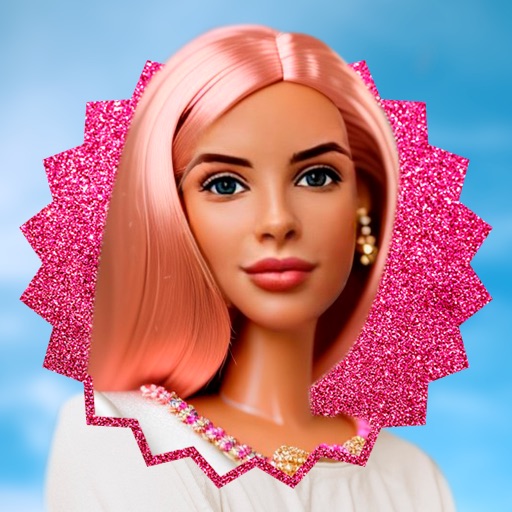
Upload selfies, transform into dolls, share results
Upload a selfie to generate a miniature, AI-enhanced version of yourself. Apply filters and effects to customize the appearance. Share the result on social media. Adjust poses and expressions using editing tools.
Take and edit photos with continuous light to reduce glare. Scan multi-page documents and convert to PDF instantly. Organize images into folders, lock them with biometric authentication, and rename individual files.
Edit photos and videos with AI-powered tools for automatic enhancements. Adjust brightness, contrast, and colors. Add text, stickers, and filters. Export in various formats and share directly.
Edit photos and videos to apply effects. Adjust hue, saturation, brightness, contrast, exposure, and other parameters. Use smart sharpening filters to enhance image quality. Convert old photos to style. Export edited content in various formats.