Apps Like Grid: Photo Split & Post Maker for iPhone and iPad
Upload and share photos and videos
Share photos by clicking twice. Split images into square sections that fit together on social media. Choose from multiple layouts. Upload and edit photos with intuitive guidance. Adjust brightness, contrast, and saturation. Add text and filters.
by Dima Komar★ 4.7792 ratingsPhoto & VideoFreeData updated 2026-09-21
Apply to photos for instant style. Choose from lifestyle, landscape, street, studio, wedding, and travel . Edit images with filters, brightness, contrast, and saturation adjustments. Export edited photos in various formats and share directly.
Edit photos and videos with filters, cropping, and background erasing. Create collages by combining multiple images and videos. Add text, stickers, drawings, and textures. Save edited content and plan social media posts.
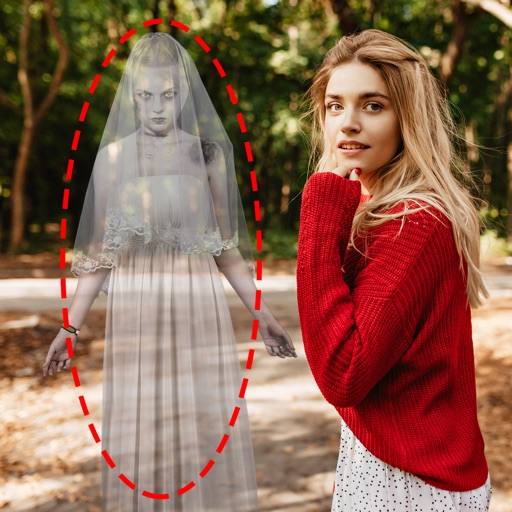
Edit photos by adding ghosts, monsters, or zombies from 62 options. Adjust transparency, color, saturation, brightness, and contrast for each creature. Position and resize creatures freely. Share finished photos with friends.
Create and ID photos for 130+ countries. Select country-specific templates. Adjust size, background, and lighting. Crop and resize images. Save and print directly or share digitally. Meet official document requirements.
Create and Instagram carousels with customizable templates and drag-and-drop editing. Add text, stickers, and filters. Export and share directly to social media. Adjust layout for seamless swipe-through viewing.
Create collages, cards, and albums using photos. Select from hundreds of templates and customizable grids. Add backgrounds, frames, and text. Edit images with cropping, filters, and adjustments. Share finished projects directly.
Create split-image comparisons by importing existing photos. Arrange images side by side for visual contrasts. Blend photos to form artistic compositions. Track changes in landmarks, plants, fitness progress, and home renovations over time.
Create carousels by arranging photos in a seamless layout. Add handmade stickers, cool fonts, and analog textures. Edit images with adjustment tools. Export and share finished collages directly.
Create personalized with custom frames and effects. Add multiple photos to make a collage. Design greeting with floral themes. Share finished via email or social media.
Add to photos and videos with customizable fonts and colors. Create captions, watermarks, and animated for social media. Edit art freely without ads or watermarks. Share edited content directly.
Create photos without cropping. Edit images with filters, backgrounds, and layout adjustments. Make photo collages using hundreds of layouts. Share high-quality photos to social media platforms. Adjust ratios and add text for customization.
Split large rectangular or panoramas into square tiles for Instagram. Upload individual tiles to create a cohesive image. Adjust scaling and layout options for detailed viewing. Share combined images directly from the .
Edit photos and videos with vintage and retro styles using curated presets. Apply filters to adjust color, contrast, and tone. Use templates for minimal, paper, film, or polaroid effects. Export edited content in various formats and share directly.
Edit photos with AI-powered removal and background erasure. Adjust colors, brightness, and contrast. Add text and stickers. Export in various formats and share directly.
Edit photos by selecting two images from the library and comparing them. Adjust animation settings including repeats and duration. Customize video size and position of photos. Add music and save the video to Photos or share on Instagram.
Edit photos to convert them into and with adjustable contrast, brightness, and grain. Apply filters and vintage effects. Crop, rotate, and add text overlays. Save and share edited images in various formats.
Edit photos with , , and collage tools. Create and custom layouts. Adjust brightness, contrast, and saturation. Add text and stickers. Export and share edited images.