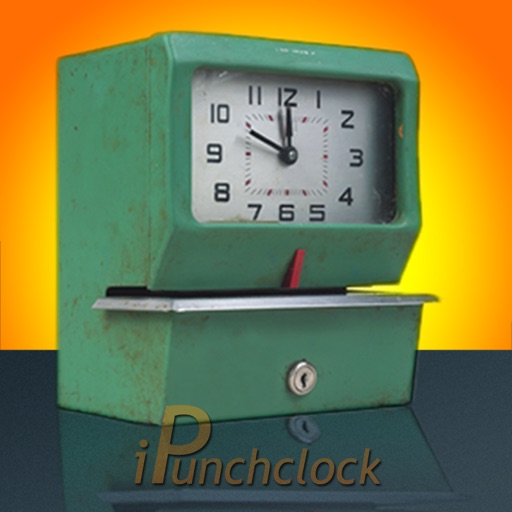
Track time spent on tasks with one-tap start and stop recording. Log activities and store records in a calendar database for easy access. Sync data across devices using calendar synchronization services.
by Joseph Gerardus Versteegh★ 0.00 ratingsProductivity$1.99Data updated 2026-09-21
Manage calendar events, to-do tasks, notes, and personal accounts in one . Set reminders, sync across devices, and organize daily activities without switching apps. Track progress with visual charts and integrate with Apple Health.
Backup contacts to local storage or cloud services like Google Drive, iCloud, Gmail, or Exchange. Sync contacts across devices. Update contacts with a single tap. Restore contacts from backups.
Record audio with one-touch start and stop. Save in raw and MP3 formats. Share recordings via Dropbox, WhatsApp, Google Drive, Facebook Messenger, and other apps. Email up to 5MB. Sync with iCloud.
Track time spent on specific tasks to build daily deliberate practice habits. Set goals for practice sessions and monitor progress over time. Sync data across devices and view statistics to measure consistency and growth.
Manage tasks with a to-do list, set reminders, and organize grocery lists and checklists. Use Pomodoro Timer to track sessions, log time spent working, and sync with calendar events.
Track work with tap-to-clock-in and break logging. Manage projects by assigning tasks and setting deadlines. Collect data for payroll and invoices through logs and expense tracking. Sync across devices and generate reports for payroll and billing.
World lets users convert instantly by viewing hours in a column. It helps find suitable meeting times by highlighting work hours. Users can select and share times via calendar, email, or clipboard. A widget provides quick checks and basic scheduling.
Track habits by tapping entries. Add notes for details. Create unlimited categories for organization. Customize checkmarks with emojis. Generate progress reports. Set notifications for reminders. Backup and restore data.
Manage business and personal emails, calendars, and contacts from a single . Sync with Files and other business tools. Access email on mobile devices without compromising personal data. Support multiple accounts and calendar management.
Track with one-tap start/stop functionality. Log activities and view bar or pie charts for distribution. Set goals and monitor progress. Sync data across devices. Export reports and analyze productivity trends.
Track with one-tap start/stop functionality. Log tasks and monitor spent on activities. View bar or pie charts to analyze distribution. Set goals and receive reminders for habit building. Sync data across devices for consistent progress tracking.
Manage schedules with a floating time display and switch between year and month views. Sync events with iCloud and access "Today" quickly. Scroll indefinitely and confirm events crossing the moon. Integrate reminders and view events in year mode.
Securely and sync mobile data using private key encryption for maximum security. multiple devices to a single account and access files from any device. Protect important files with end-to-end encryption and manage backups remotely.
Track time spent on tasks with location awareness. Log activities manually or automatically. View detailed reports and export data. Set reminders and manage projects. Sync across devices and share time logs.
Record and organize data, text, images, videos, and documents in various formats. Classify events, sync across devices, and back up files. Store information offline and retrieve records for analysis.
Track spent on tasks with interactive and charts. Log activities, set -based goals, and analyze trends. View progress reports and receive insights to improve management. Sync data across devices and export reports for review.
Track spent on tasks with single-tap start/stop timers. Export data as CSV files. View task history and progress. Analyze usage for better organization and .
Track with single-touch activation. Log tasks, projects, studies, workouts, sleep, and child activities. View daily, weekly, and monthly statistics through diagrams and graphs. Manage usage and set activity goals.
Plan daily tasks, manage projects, and organize goals with customizable lists and priorities. Set reminders, track progress, and sync across devices. Integrate with calendar and email for seamless task management.
, weekly, or monthly activities such as workouts, weight, eating habits, and business expenses. View notes in list, table, or calendar formats. Add widgets for quick access on the home screen. Create notes for personal logs or habit tracking.