View 3D eye models for medical professionals, including normal and diseased eyes. Rotate and examine models from any angle. Add notes and save screenshots as images for documentation.
by SENJU PHARMACEUTICAL CO., LTD.★ 0.00 ratingsMedicalFreeData updated 2026-09-21
Take an to determine your Intelligence Quotient. View instant score and normal distribution ranking. Review correct and incorrect answers to identify strengths and areas for improvement.
Explore dinosaur species with 3D and AR models. View HD reconstructions and real fossil images. Learn about prehistoric creatures through interactive content. Set facts and characteristics of over 600 dinosaur species.
Read and annotate PDFs with notes and highlights. Access and organize research across devices. Tap inline citations to find related articles and references. Sync with desktop software for seamless management.
Clean and polish airplanes with simple controls. Select from 34 unique aircraft. Interact with adorable characters and fun animations. Improve hand-eye coordination and concentration through gameplay.
Organize and access duas by category including Quranic, Masnoon, daily, activity-based, occasion-based, and protection-related sections. Include recitations and allow users to select and view specific prayers for different situations.
Dictate medical notes securely with voice-to-text. Transfer documentation to EMR systems via HIPAA-compliant platform. Connect to macOS or Windows computers for real-time document insertion.
Create and customize models with -up features. Choose from various outfits and accessories. Save and share creations with others. Play photo-shooting, cafe simulation, and Jelly Splash connection .
Create 3D art with advanced editing tools. Build models using intuitive controls. Export to multiple formats. Use AR to preview creations. Design assets for games or the metaverse.
Intelligent clinical communications for medical staff.
The app provides secure messaging, patient calling with caller ID privacy, and call status management for medical professionals. It facilitates team collaboration and charge capture for timely care.
Create 3D building blocks with color options. Add or remove blocks with a single tap. Rotate blocks using one finger. Pinch to zoom and spin blocks for different views. Save screenshots of creations.
Alphabets with three practice modes: Easy mode uses a hand pointer for guided writing, Normal mode offers accurate practice, and Freestyle mode allows freehand writing. Share screenshots of progress with friends.
View illustrated human body diagrams and activate video content by making eye contact with red dots. Tap to play educational clips about anatomy and physiology. Access videos from Shutterstock and audio from YouTube Audio Library.
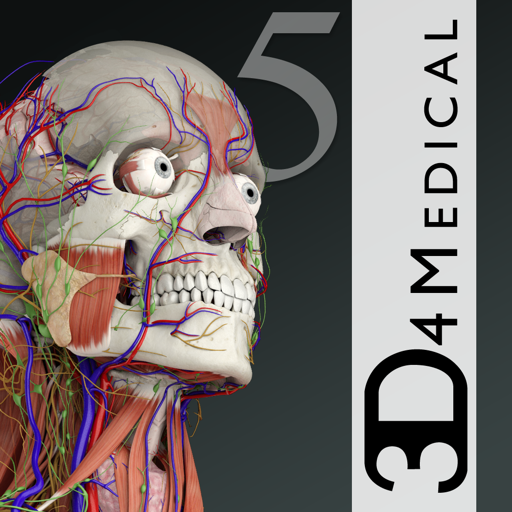
Explore 3D anatomical models with interactive navigation. View over 8200 structures. Rotate, zoom, and dissect virtual organs. Access detailed labels and cross-sectional views. Compare male and female . Save custom views and annotations.
Create AR experiences without 3D expertise. Place and rotate virtual objects using drag and drop. Import .usdz files or use built-in AR content library. Build high-quality 3D models via photogrammetry with guided capture.
Access Quranic verses for spiritual protection and healing. Recite selected verses for relief from black magic, jinn, witchcraft, and the evil eye. Includes traditional recitations and references to prophetic traditions.
Play in 3D or 2D with adjustable difficulty against AI opponents or other players. View the board from any angle by swiping. Supports single-player and multiplayer modes. Track moves and analyze strategies. Save game progress and review past matches.
Explore 3D models of the human body to understand for genetic disorders. Rotate images using touch. Answer quiz questions after each lesson to test knowledge of genetics and treatment options.
Learn English pronunciations with interactive models
Learn English pronunciations through interactive visual models and expert-based phonetic explanations. Listen to native speaker recordings and view speech sound visualizations.
Find, organize, and annotate from leading publishers. Access unlimited scores and performance materials. Search by title, composer, or instrument. Save and share annotated editions. Sync with devices for offline use.
Create digital notes and sketches on a blank canvas. Draw freehand or use preloaded templates. Erase or clear sections. Save and share drawings. Collaborate in real time with others. Import images and text. Adjust colors and brush sizes.