
iPhone Screenshots




Description
Create 3D art with advanced editing tools. Build models using intuitive controls. Export to multiple formats. Use AR to preview creations. Design assets for games or the metaverse.
Build, paint, render, and export detailed voxel worlds on iPhone, iPad, and Mac.
Voxel Max combines approachable controls with powerful tools for artists, game developers, hobbyists, and first-time creators. Place individual voxels, drag to build larger forms, or use fast shape brushes to block out ideas quickly. Start from scratch or begin with a library of prefab people, furniture, vegetation, architecture, and more.
BUILD AND EDIT
• Create in a 256 × 256 × 256 voxel workspace
• Paint with fast SDF brushes and pressure-sensitive controls
• Combine 255 colors with eight material layers for up to 2,040 color-and-material variations
• Fine-tune textures, materials, and visual effects
• See material changes rendered in real time
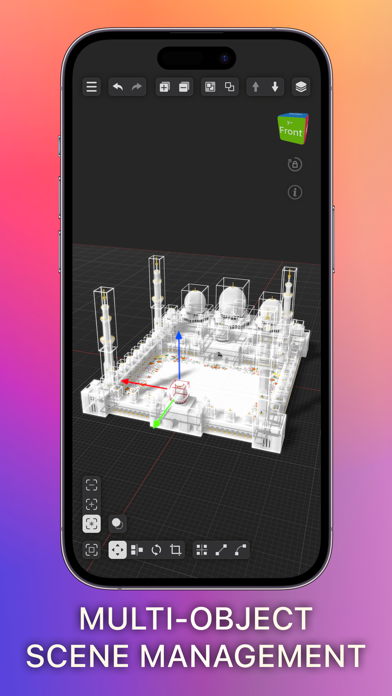
• Zoom in for precise edits or out to manage complete scenes
• Save creations as reusable assets for cloning and scene building
RENDER AND PRESENT
• Preview creations in augmented reality on iPhone and iPad
• Capture photos and videos of your work in the world around you
• Use ray-traced lighting and shadows on supported Metal GPUs
• Explore Marching Cubes, Outline, and Curvature rendering effects
• Add backgrounds and replay your build as a time-lapse in Presenter View
IMPORT, EXPORT, AND SHARE
• Import and export MagicaVoxel and Qubicle scenes
• Import USDZ and GLB scenes and convert them into editable voxel art
• Export PNG, Voxel Max Asset Pack, SCNZ, DAE, FBX, GLB, OBJ, STL, and USDZ
• Work across iPhone, iPad, and Mac with iCloud syncing
FOUNDRY
Turn images into 3D assets with Foundry AI, and scan real-world objects on supported devices. AI generation may require a third-party account.
From a single voxel to a complete scene, Voxel Max gives you the tools to create wherever inspiration strikes.