Apps Like Floor Plan Scanner: PanoRoom for iPhone and iPad
Design rooms, scan spaces, export plans
Create room and layouts with furniture placement. Use camera measurements for precise dimensions. Export designs as PDF, DXF, or PNG. Sync with Apple Health.
by Piotr Wierzba★ 4.7336 ratingsProductivityFreeData updated 2026-09-21
Scan QR codes and barcodes to access menus, product details, or online content instantly. Create custom QR codes for location, Wi-Fi, or business card sharing. Verify code safety with ScanShield before visiting any linked content.
Scan documents, photos, and papers to create JPG or PDF files. Remove backgrounds and adjust image settings. Convert scanned images to editable text using OCR. Share documents and manage files within the . Edit Word and Excel files directly.
Create logos with pre-designed templates and customization tools. Add text, colors, and graphics. Export logos in various formats and share directly. Design team logos, YouTube thumbnails, and profile pictures.
Create 3D interior designs using AI-generated layouts. Adjust furniture placement and color schemes. Preview changes in real-time. Export designs for sharing or printing. Sync with smart devices for lighting and temperature control.
Images to extract with high accuracy OCR. Supports over 100 languages and handwritten . View history of scanned images. Edit and share extracted . Export as or PDF files.
Manage and organize PDF documents by editing, signing, and . Convert PDFs to voice files, compress documents, and access advanced features with a subscription. Share and annotate PDFs directly within the .
Create outdoor spaces with AI-generated layout ideas for patios, lawns, and driveways. Drag and drop elements like trees, walkways, and fences to custom layouts. Adjust elements and view 3D renderings to plan your effectively.
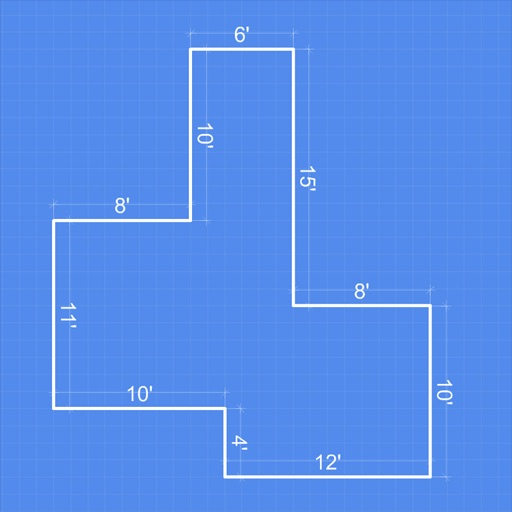
Create detailed 2D floor plans with real-time dimension measurements. multi-story buildings with unlimited floor levels. Generate 3D visualizations of layouts. Plan gardens and landscape features within the .
Allows users to scan physical documents into digital formats. Features include automatic detection, cropping, and saving as PDF or image files. Users can annotate, add text, and share scanned documents via email or messaging apps.
Create 3D art with advanced editing tools. Build models using intuitive controls. Export to multiple formats. Use AR to preview creations. Design assets for games or the metaverse.
Create 3D scans using device LIDAR or a Mac . Share scans in augmented reality or export for 3D printing. Generate 3D objects via text input with AI. Export scans for augmented reality or 3D printing. Process scans on-device or via Mac .
The app offers tools for home decoration, picture alignment, and angle measurement. It can also be used for slope projection and checking the verticality of partitions or furniture.
Documents with instant edge detection, auto-cropping, and perspective correction. Convert to searchable PDFs with high-quality export. Edit, annotate, and share documents with minimal taps.
Scan QR codes, barcodes, and create custom codes for links, contacts, Wi-Fi, and SMS. Use camera, gallery, or manual entry to scan. Supports all popular QR and formats. Generate QR codes for quick sharing and access.
Scan documents, business cards, books, IDs, and passports using the smartphone camera. Edit, sign, and save files in PDF, TXT, and JPG formats. Organize and share scanned documents directly.
Scan products to check compliance using phone camera. Access verified information from trusted sources. Receive instant feedback on status. Share results with others.
View DWG, DXF, and MacDraft files locally without size limits. Annotate with text tools and export as PDF. Share or print documents. Collaborate with team members by viewing and annotating files directly.
Create floor plans by scanning interiors with LiDAR. Automatically detect walls, windows, and doors. Edit plans in real time. Share finished plans directly from the . Requires a LiDAR-equipped device and paid subscription.