Apps Like Floor Plan Scanner: PanoRoom for iPhone and iPad
Design rooms, scan spaces, export plans
Create room and layouts with furniture placement. Use camera measurements for precise dimensions. Export designs as PDF, DXF, or PNG. Sync with Apple Health.
by Piotr Wierzba★ 4.7336 ratingsProductivityFreeData updated 2026-09-21
Measure objects or distances using AR technology. Switch between units for accuracy. Create sketches with text editing options including size, color, and positioning. Share measurements and sketches directly from the .
Create 3D designs using AI-generated floor plans. Adjust furniture layouts and color schemes. Preview lighting and materials. Export designs for sharing or printing.
Convert files to and from PDF, including JPG, PNG, BMP, TIFF, Word, Excel, Text, RTF, PUB, and ZIP. Compress, scan, edit, protect, and manage PDF files. Export as multiple formats and share directly.
Write and organize notes, to-do lists, and journals with customizable layouts. Add photos, location, and rich text formatting. Set reminders and track time. Sync data automatically and restore backups.
Convert files between formats including 3D models (3DS, FBX, STL), markup (PDF, DOCX, Markdown), CAD drawings (DWG, DXF), and videos (3G2, 3GP). Edit and export files directly within the .
Create logos using AI-powered tools and pre-designed templates. Choose from thousands of templates. Customize colors, fonts, and layouts. Export in various formats. Share directly or download for use.
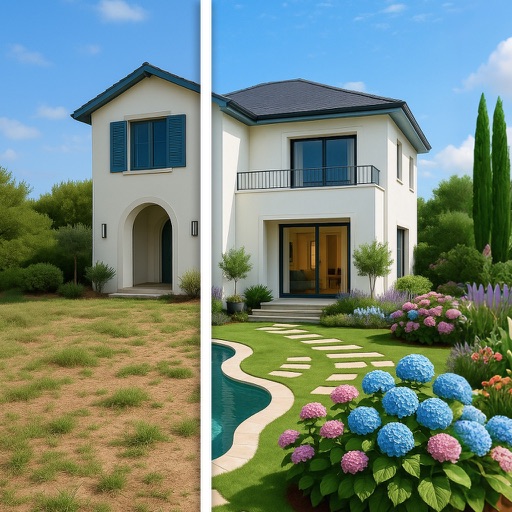
Transform outdoor spaces with AI-generated landscaping designs. Upload photos to visualize plant placements, paths, and features. Explore 10+ styles including zen minimalism and modern rustic. Adjust layouts, select plants, and view 3D renderings.
Measure horizontal and vertical surfaces with a . Use a laser for precise alignment. Check surface flatness with a spirit . Access inclinometer for angle measurements. Set and track levels for accurate tasks.
Create custom PDF reports with photos, text, and graphical annotations. Add logo, contact details, and company information. Capture or import photos from camera or gallery. Include textual descriptions and draw arrows or circles with gestures.
Documents, notes, photos, business cards, and receipts into PDF or PNG formats. Use OCR to convert scanned images to editable text. Apply filters like B&W, grayscale, and threshold. Share files via email, WhatsApp, Dropbox, Box, or Google Drive.
Use AI to generate interior concepts based on home photos and personal style. Explore multiple options with virtual layouts. Adjust colors, furniture, and decor elements within the space. Save and share ideas with collaborators.
Create plots for film, theater, and events. Choose from a wide range of equipment. Arrange and adjust fixtures on a grid. Export designs for sharing or printing. Sync with Apple devices for seamless workflow.
And QR code with batch scanning and crosshair guidance. Export scanned codes as text or Excel. nd save barcodes and QR codes to Photos or export for print.
Recognizes in documents and images using OCR. documents with a click and auto-detect pages. Extract and edit with cropping, filtering, and rotation. Copy, share, or export scans as images or PDF.
Measure angles, check flatness, take real-size measurements
Measure angles with real-time sensor precision. Check surface flatness in horizontal and vertical orientations. Use an on-screen ruler for real-size measurements. Support both metric and imperial units.
Create and share Standard Operating Procedures with real-time collaboration. Edit and update documents on any device. Track revisions and ensure compliance with audit-ready templates. Assign tasks and monitor progress across teams.
Edit photos to visualize design ideas with AI-generated style options. Choose from multiple design themes and receive furniture and décor suggestions. Preview changes in 3D and save or share design concepts.
AI-powered planning allows users to design interiors by selecting furniture and arranging layouts. Users can customize dimensions and materials. AI suggestions help refine designs. Export plans as images or PDFs.
Create vector illustrations with precise tools for technical and artistic designs. Export to Pages, Keynote, or other formats. Sync work between Mac and iPad. Edit and refine graphics on mobile.