Create art with a complete toolset including layers, timelines, and advanced coloring. Edit spritesheets, GIFs, and game assets. Use touch or pen for optimized drawing. Render with high-performance Metal technology.
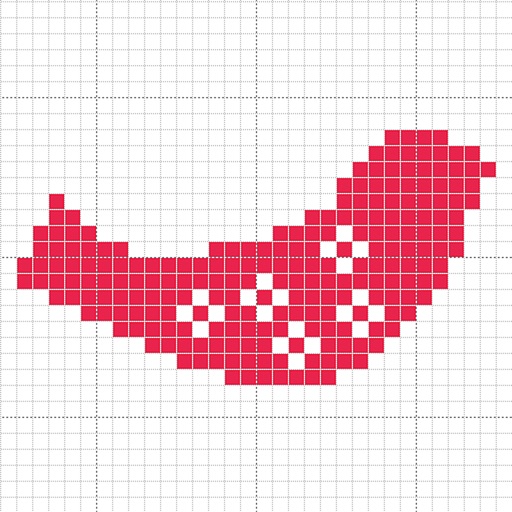
Create custom charts for crafts like cross stitch, bead weaving, knitting, and pixel art. Draw dotted images and design patterns with an intuitive touch interface. Export charts for use in projects.
Create abstract art by drawing shapes that auto-connect and fill with random procedural patterns. Use Auto Draw to generate unique compositions in real time. Watch animations transform your artwork into kaleidoscopic designs.
Create digital graffiti signatures and throw-ups with fluid line drawing and responsive smoothing. Generate 3D models from strokes for interactive viewing. Export in USDZ or SCN formats for sharing or AR preview.
Customize iPhone home screen with pre-made collections and 500+ icons in styles like Minimalistic, Light, and Dark. Create custom icons, adjust designs, and add shortcuts to apps. Replace default icons and organize home screen layouts.
Teaches phonics, spelling, sight words, and ABC basics through interactive games. Includes shape and color recognition activities. Promotes memory, vocabulary, and critical thinking skills. Allows self-paced with Montessori-inspired exploration.
Write on PDFs, create notebooks with customizable templates, sketch notes on a large freeform canvas, and take notes on vertically extended pages. Organize content across different document types and layouts.
Create illustrations, logos, and UI designs with precise drawing tools. Import and edit graphics. Organize projects in workspaces. Export in multiple formats. Collaborate in real-time with others. Adjust colors, shapes, and layers.
Learn numbers, patterns, and letters through interactive puzzles and games. Identify shapes, colors, and sizes. Practice counting and matching. Compare shadows and find differences. Track progress with visual feedback and educational guidance.
To with guided lessons that show real strokes from professional artists. Practice step-by-step techniques to build confidence and accuracy. Use Apple Pencil for precise input and track progress through interactive exercises.
Create fully customisable . Import images from your gallery as backgrounds. Access an online photo library with 2.5M+ royalty free images. Adjust colors of design elements. Decorate home screen with . Export and apply modified .