Edit guitar tones wirelessly via Bluetooth. Adjust modulation, echo, and reverb parameters. Access advanced settings for detailed tone shaping. Control amplifier functions from a mobile device.
by Yamaha Corporation★ 2.2163 ratingsMusicFreeData updated 2026-09-19
Record vocals by importing songs from the music library and tapping record. Apply effects like Delay, Reverb, Filters, EQ, and Compressor to enhance audio. Export and share the final recording.
Edit audio files by reversing playback. Adjust pitch and time stretch audio. Access pro features like equalizer, delay, and reverb. Save and share modified audio files.
Tuner+ provides reference pitches for tuning instruments like guitar, bass, banjo, mandolin, cello, violin, piano, viola, and ukulele. It offers real audio and sine wave tones. Supports VoiceOver accessibility for users with visual impairments.
Control Pro 8 transport and mix console. Access commands page for factory and user presets. Adjust levels, automate parameters, and navigate sessions. Sync with PreSonus One on Mac and Windows.
The app offers graphical control of VR-09, VR-09-B, or VR-730 parameters, including Organ and Synth Tones. It utilizes the iPad's display for parameter control and supports wireless operation via Roland Wireless Connect.
Create and manipulate granular audio with real-time time-domain synthesis. Generate effects like grainlet, trainlet, FM, and time/pitch shifting. Adjust grain parameters and control live input. Sync with AUv3 hosts. Export and share audio files.
Record and edit audio files with precise trimming and merging. Add effects like pitch, reverb, and gain. Insert recordings indefinitely. Support audio clipping, sound processing, and ultra-high precision editing.
Create and sequence music using 4 sound channels with 3 tone channels and 1 for drums and noise. Adjust audio parameters like pan, amplitude envelope, vibrato, and pitch glide. Add ring modulation, FM synthesis, and a resonant filter.
Allows users to create and modulate audio effects by shaping a graph to control filter cutoff, resonance, amplitude, and mix. Parameters can be modulated with sliders.
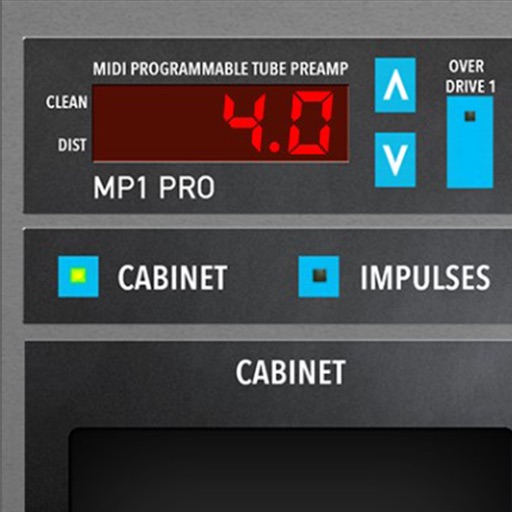
Adjust audio signals with tri-state voicing options for distortion tube, clean tube, or solid state. Apply digital delay with lo-fi filter and time offset controls. Customize power amplifier settings including presence, resonance, and power switch.
The app is a multitrack audio editor for iPhone and iPad. Users can record or import tracks, edit them with cut, copy, paste, and delete functions, and apply filters and effects.
Create and manipulate audio using granular synthesis techniques. Adjust grain size, direction, and step size. Apply effects such as reverb, wave shaping, and sample crushing. Connect via AudioCopy, AudioBus, Inter Audio, and AUv3.
Create drum patterns with improvisation features and 2D control for jam and intensity. Use 8 assignable pads for live sessions and MIDI controls. Sync with Ableton Link. Export multi-track or full mix via audio-MIDI export.
The app provides MIDI control for iOS devices, connecting to various DAWs via USB, WiFi, Bluetooth, and more. Users can create complex controls that affect multiple MIDI destinations simultaneously.
Edit and customize saxophone tones, synthesizer sounds, and shakuhachi voices. Adjust effects and modify sound parameters visually. Set detailed instrument settings not available on the device itself.