Create and edit vector drawings and illustrations. Import and export files from cloud services. Design logos, posters, and technical drawings. Use multiple windows on iPadOS. Enable dark mode for system settings.
by AMIT CHAUDHARY★ 4.416 ratingsEntertainment$2.99Data updated 2026-09-19
Edit PDFs by adding text, shapes, comments, and highlights. Merge, split, compress, convert, rotate, unlock, and watermark PDFs. Import files from cloud services like Drive, Box, and OneDrive. Annotate and read PDFs with customizable tools.
Create art, share animations, connect with artists
Create and share art animations with an integrated online gallery and . Browse and interact with over 700,000 designs. Categorize and tag artwork with hashtags. Moderate and recommend animations using AI.
Create art with layers and animation support. Use a variety of tools for detailed design. Add background music to animations. Export videos in MP4 format. Sync projects via Google Drive. Join a community for feedback and collaboration.
Draw with pencil, brush, eraser, marker, and pen. Customize brushes with texture and fill colors using a bucket tool. Add text and shapes to drawings. Change backgrounds with color, texture, or images. Use grid for guidance and mirror for faster .
Learn to sketch figures and garments with step-by-step guidance. Create and manage layers for detailed illustrations. Use AI tools to generate clothing and accessories in specific styles. Add body types including models, women, men, and plus size.
Create and edit digital art with brush tools, layers, and color blending. Import photos and sketches. Adjust brightness, contrast, and saturation. Add text and shapes. Export artwork in various formats and share directly.
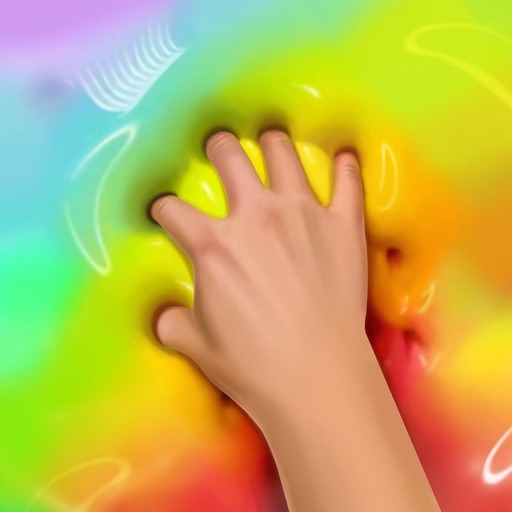
Create and customize by stretching, breaking, and drawing on the screen. Add 2D and 3D objects. Use touch gestures to interact with the . Apply various textures and effects. Earn in-game currency through play. Share creations with friends.
Create drawings with Apple Pencil support. Use grid or lined backgrounds. over existing images. Save square images. Add widgets to showcase drawings on the home screen. Enable multitasking and multi-window features on iPadOS.
Pages allows users to select from 300+ pages and add stickers or special effects. Mystery paint feature lets users create unique drawings. Save and load progress. Share drawings via preferred platform. Create custom drawings or wallpapers.
Scan documents to create editable PDFs. Edit , add comments, and secure files with encryption. Convert scanned images to searchable PDFs. Share and annotate documents directly. Export in multiple formats and sync across devices.
Annotate photos with text, drawings, and hand-drawn elements. Add watermarks and autographs. Create and share Photocards. Incorporate internet memes. Edit and enhance images for personal or professional use.
Image editing allows users to upload photos from their gallery or take new photos. AI reimagines based on user input. Users can edit by typing instructions. The supports image generation and transformation on iPhone or Mac.
Annotate photos with text, drawings, and stickers. Add watermarks and autographs. Create and share Photocards. Incorporate internet memes. Edit and share annotated images directly.
Create digital art with drawing, coloring, and animation tools. Use versatile templates for Anime, Animals, Flowers, Landscapes, Mandalas, and more. Access dual drawing modes for layered artwork.