Create custom emojis using a variety of components like eyes, mouths, and backgrounds. Customize colors and styles. Save and share created emojis. Collaborate with others to design and exchange unique sets.
Edit videos with trimming, splitting, and cutting tools. Add transitions, text, and stickers. Apply filters and effects. Export in high quality. Share directly to social media platforms.
Create collages by combining photos, adding stickers, and applying effects. Choose from multiple layouts and templates. Edit images with cropping and filters. Share finished collages directly to social media.
Create collages using hundreds of templates, layouts, and design options. Add effects, text, and stickers to photos. Share finished projects directly to social media accounts. Edit images with cropping, filters, and adjustments.
Create designs and graphics using customizable templates and a vast library of images, fonts, and templates. Apply photo filters and adjustments to enhance visuals. Organize templates into folders and favorite favorites for quick access.
Create collages by combining up to 20 photos with backgrounds, stickers, and drawing tools. Apply filters, borders, and fonts to enhance images. Share collages on Facebook, Instagram, and other platforms.
Upload videos and use AI to identify key moments. Auto-clip and add captions for social platforms. Customize clips with templates, fonts, and colors. Publish to major platforms or save to camera roll.
Create custom designs with photos using templates, fonts, filters, frames, and hand-crafted stickers. Organize and save moments. Share edited photos directly.
Edit photos with filters, light leaks, and templates. Add frames and text. Share directly to social media. Access monthly updated filters. Adjust brightness and contrast. Crop and rotate images. Export in various formats.
The app allows users to create and edit designs with text, elements, and filters. Users can design social media posts, greeting cards, and add logos to their creations.
Create collages by selecting photos and choosing from templates. Add backgrounds, colors, doodles, and stickers for customization. Share collages directly to social media profiles.
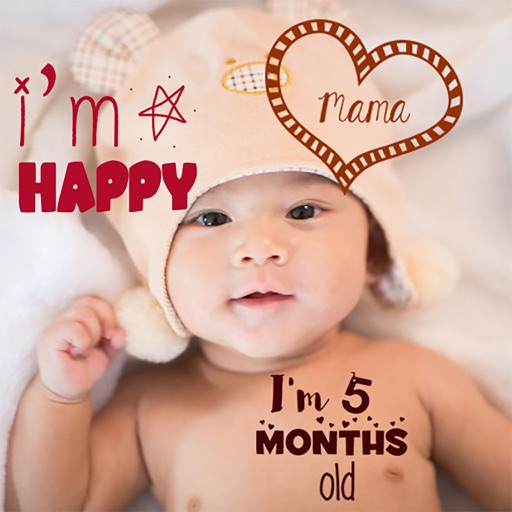
Create stories for pregnancy and milestones using professional stickers and fonts. Add text and -themed stickers. Edit photos with artistic styles. Share and save stories in albums.
Create photo using 200+ built-in templates. Add watermarks and text to photos. Resize images for Instagram. Customize with 100+ stickers. Save in high resolution. Apply custom frames. Adjust photo textures.
Edit videos and stories with AI-powered tools. Add stickers, filters, and animations. Copy and paste assets between apps. Save media to camera roll for use in other editors. Organize favorites and apply styles with one tap.
Create collages by merging up to 20 photos with frames, stickers, and text. Adjust borders, add pattern backgrounds, and use shapes for flyers and posters. Share creations on Facebook, Instagram, and other social media.
Edit photos with filters, cropping, and adjustment tools. Add text, stickers, frames, and patterns. Create collages by combining multiple photos. Share edited images directly to social media.