Scan and extract data from documents, driver’s licenses, passports, and credit cards. Verify documents instantly. Integrate with mobile or web apps via SDKs and APIs. Share scanned data securely.
by Microblink Ltd★ 3.58 ratingsBusinessFreeData updated 2026-09-18
Scan and send documents instantly. Capture receipts, invoices, and licenses with one tap. Save and share files directly via email or messaging apps. Organize scans into folders and access them offline.
Secure access to organizational applications resources.
The app provides secure access to an organization's applications and resources from a mobile device. It offers workforce password management, single sign-on, and multifactor authentication for enhanced data protection.
Scan documents, photos, and notes with high clarity. Crop, rotate, and adjust brightness. Save files in PDF, JPEG, or PNG formats. Share scans via email, messaging, or cloud storage. Add text annotations and watermarks.
Documents, photos, and web pages directly from iOS devices. Select files from apps or cloud storage. Customize settings like layout, paper size, and duplex printing. Connect to wireless printers instantly.
Scan documents, receipts, IDs, and handwritten notes using the device's camera. Convert scanned content into editable text with OCR. Share or save scans directly. Adjust brightness and crop images.
Documents, receipts, and photos to convert into PDF or JPEG. Add signatures and share files directly. Organize scanned images and manage documents securely. Supports OCR for text recognition and includes editing tools.
Sign documents with a real handwritten . Scan and clean signatures using phone camera. Save and share signatures securely. Integrate with files and contracts.
Scan documents and save as PDF, JPG, or TXT. Use OCR to extract text from images. Share scanned files directly. Convert scanned text into editable formats. Organize and manage scanned documents within the .
Documents to PDF by capturing, previewing, and sending. Email or save to Files, Photos, or cloud services like Google Drive, Dropbox, and OneDrive. Choose modes including Black & White, Colour, and Grayscale.
Documents and photos from iOS devices. Select files from Dropbox or Google Drive. Edit with built-in tools. web pages, contacts, and supported formats like PDF and DOCX. Connect to over 10,000 wireless printers.
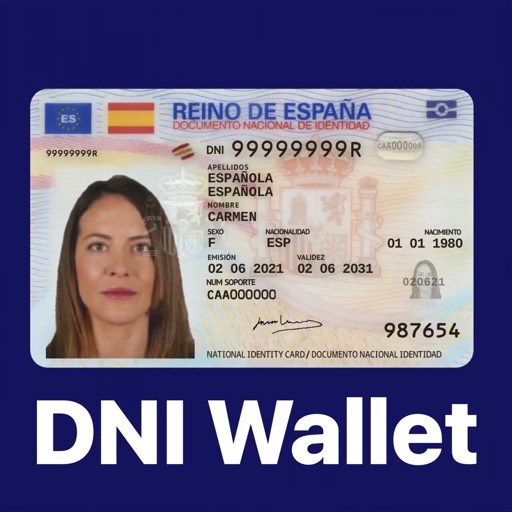
Store and manage digital ID cards and NIE documents. Add driver's license, health card, and other official documents. Access documents anytime and validate identity securely. Share documents with trusted services.
Allows users to digitize documents via camera or file import. Edit PDFs, add signatures, and organize files into folders. Convert documents to PDF, share scans, and manage digital files efficiently.
Print documents and photos from iOS devices. Scan and annotate documents. Choose from supported printers to print. Create and print text notes. Edit scanned content before printing. Requires subscription for full features.
Scan documents using mobile camera with automatic focus and lighting adjustment. Crop and rotate scanned pages. Save as PDF or image files. Share scans via email or messaging apps. Adjust contrast and brightness for clear images.
Send and receive faxes through a web browser. Manage fax documents, send faxes online, and access a free fax machine . Send to 30+ international countries. View and store sent and received faxes.
Turn your phone into a powerful . Capture and convert documents to PDF, JPG, Word, TXT, and more. Edit scans with auto-edge cropping and filters. Extract text using OCR. Merge and split PDFs. Share or print files directly.
Edit PDF documents with annotations, comments, and form fields. Create and request electronic signatures. Share signed documents securely. Manage contracts with audit trails. and forms directly from the .
Scanner allows users to extract from images, photos, screenshots, and PDFs with high accuracy. It supports over 92 languages and translates into more than 100 languages.