Apps Like PicMaker - Photo editor* for iPhone and iPad
Edit photos with filters and effects
Edit photos with filters, effects, and backgrounds. Add stickers and choose from various fonts. Crop, resize, and rotate images. Create square photos and adjust ratios. Share edited photos directly.
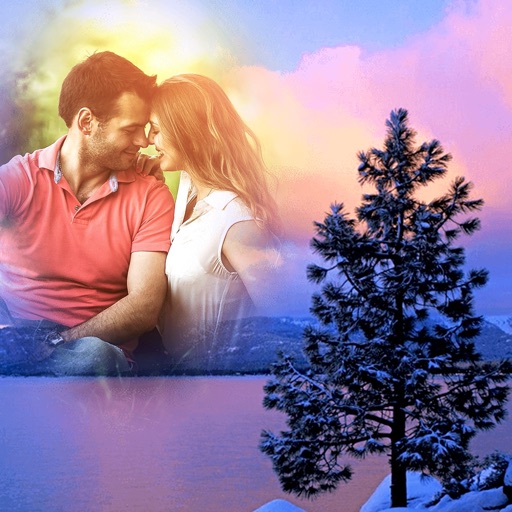
Edit photos with seasonal frames and nature effects. Select images from the gallery or take new photos. Apply filters and effects to enhance visuals. Save and share edited photos directly.
Edit photos with AI cartoon filters, -to-sketch conversion, and mosaic art creation. Remove backgrounds, add drip art, and create collages. Save and share edited images directly.
Turn photos into 12 styles with adjustable edge thickness. Add stickers before or after cartoonization. Save and share the edited image. No internet connection required.
Create collages by combining multiple photos from the gallery. Choose from various frames and themes. Apply filters to enhance images. Share collages directly to social media platforms. Edit individual photos with cropping and adjustment tools.
Edit photos with HDR effects, filters, and detailed adjustments. Enhance images with powerful lighting and contrast tools. Save and share edited photos in various formats.
Decorate photos with over 400 styled stickers. Place stickers using simple and intuitive controls. Add text, filters, overlays, and frames to enhance images. Supports iPhone, iPod Touch, and iPad.
Edit videos and photos with mosaic and AI filters. Add scribble animations and customize aesthetics. Share content to TikTok, Snapchat, Instagram, and Facebook. Adjust filters and for creative storytelling.
The app offers photo editing tools including filters, effects, and adjustments for brightness, contrast, and saturation. Users can add text, stickers, and frames to their images before saving or sharing.
Take photos with real-time beauty filters and effects. Apply makeup and adjust skin tone instantly. Use photo filters to enhance images. Create collages by combining multiple photos. Edit with blur, whiten, and other tools.
Edit by adding customizable with unique fonts. Adjust photo size and crop images. Modify color, add borders, and adjust brightness. Share edited directly from the .
With Hi-Def, Scenery, Food, Portrait, and Night effects. Adjust saturation, warmth, tint, and fade. Crop, rotate, and straighten images. Draw, add text, and create memes. Use Focus or Vignette to highlight subjects.
Create collages by arranging multiple photos into a single square layout. Adjust brightness, contrast, and white balance. Crop, rotate, and apply filters.
Add and stickers to photos and images. Choose from various spooky themes. Edit and enhance pictures. Share edited images directly. Apply high-definition effects. Create custom .
Resize photos to fit Instagram's format. Adjust dimensions and crop images precisely. Share edited photos directly to social media. Maintain image quality during resizing. Apply basic editing tools for optimal framing.
Select and edit photos to add . Choose from various cap styles and position them on the head. Adjust cap fit and appearance. Save and share edited images.
Try on different styles with adjustable fit. Add masks, stickers, and effects to photos. Edit selfies and adjust placement. Share edited photos directly to social media.