Apps Like Glitter Effect Studio for iPhone and iPad
Paint on photos
Edit photos by applying filters and adding effects. Choose from 11 types and adjust brush sizes for detailed application. Zoom and pan using two fingers, or draw with a single finger. Save and share edited photos directly.
by Thomas Backes★ 4.550 ratingsPhoto & VideoFreeData updated 2026-09-18
Create art with drawing and painting tools including Standard Brush, Eraser, Serpentine Brush, Pulse Brush, and Confetti Brush. Adjust stroke properties based on Apple Pencil pressure and tilt.
Edit photos with mosaic, pixelation, vignette, overlays, and HDR effects. Apply shattering effects with real-time adjustments. Export edited images in various formats and share directly.
Turn photos into pencil sketches using advanced analysis and redrawing. Select images from the library to convert into detailed artwork. Share the results directly or save as new files.
Create greeting by selecting and photos from your gallery or camera. Adjust photos with zoom, rotate, and move gestures. Save and share through social media apps.
Watch 3D swim autonomously on your device screen. Use pinch gestures to zoom and drag to pan. Tap twice with two fingers to view wireframe models. Observe natural motion and varied behavior without animation.
Remove unwanted backgrounds or objects from photos. Edit images to make backgrounds transparent. Add custom backgrounds for improved visuals. Erase specific areas for enhanced photo quality. Save and share edited images directly.
Edit photos with filters, effects, and shapes. Add text and stickers. Crop and adjust images. Share directly to social networks. Apply pre-designed styles for modern looks.
Combine multiple photos into customizable frames or collages with 55 adjustable templates. Add rounded corners, effects, shadows, and patterns. Choose colors using an easy color picker. Save projects and share via Facebook, Email, or Twitter.
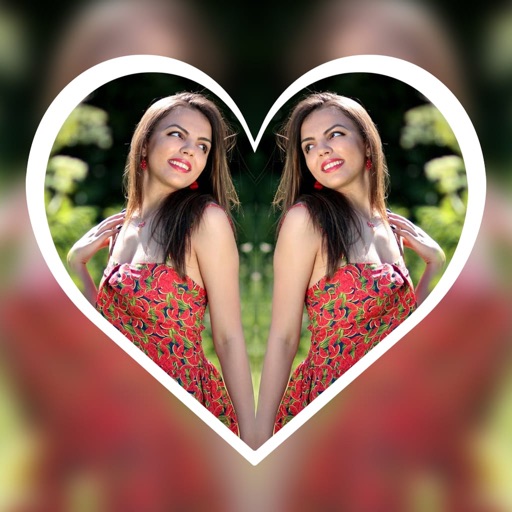
Create reflection effects with left-right, up-down, or repeat options. Apply effects and designer frames to enhanced images. Select from gallery or capture new photos for editing. Export and share edited images.
Create greeting by placing photos in flower and nature . Select from various pre-designed or use your mobile gallery or camera. Adjust photos with zoom, rotate, and move gestures. Save and share through social networking apps.