Apps Like Glitter Effect Studio for iPhone and iPad
Paint on photos
Edit photos by applying filters and adding effects. Choose from 11 types and adjust brush sizes for detailed application. Zoom and pan using two fingers, or draw with a single finger. Save and share edited photos directly.
by Thomas Backes★ 4.550 ratingsPhoto & VideoFreeData updated 2026-09-18
Allows users to apply effects to backgrounds. Select images from the gallery or capture new photos. Use multiple blurring tools to adjust the effect. Export edited images directly.
Edit photos by brushing over areas and describing desired changes in natural language. Transform selected regions with precise, photorealistic results. Adjust backgrounds, add objects, or modify details instantly.
The app converts selected photos to grayscale, sepia, or custom colors. Users can then add color by painting over desired areas with their finger, utilizing paint and eraser modes.
Edit photos with skin smoothing and whitening features. Adjust enhancement levels from 1 to 8. Apply 12 unique filters for enhanced selfies. Add makeup tools for detailed facial enhancements. Save and share edited images directly.
Create dynamic videos from photos using AI templates and effects. Add text, stickers, and music. Choose from various styles and clothing options. Edit and export videos directly. Share finished videos on social media.
Unwanted objects, people, text, and blemishes from photos using AI-powered retouching. Erase elements with one tap for natural results. Adjust and refine edits to achieve desired outcomes. Share edited photos directly.
Create artistic images with single-tap camera effects and professionally designed filters. Adjust brightness, contrast, and tone curve. Blur and focus images. Rotate, crop, and resize photos. Add text and fun stickers.
Edit photos by selecting images from the library and using an adjustable brush tool to mark areas for removal. The employs inpainting algorithms to seamlessly eliminate unwanted elements and blend the background.
Create and manipulate by stretching, squishing, and kneading. Include realistic ASMR sounds for relaxation. Choose from various types and customize appearances. Pop for satisfying feedback. Save and share creations.
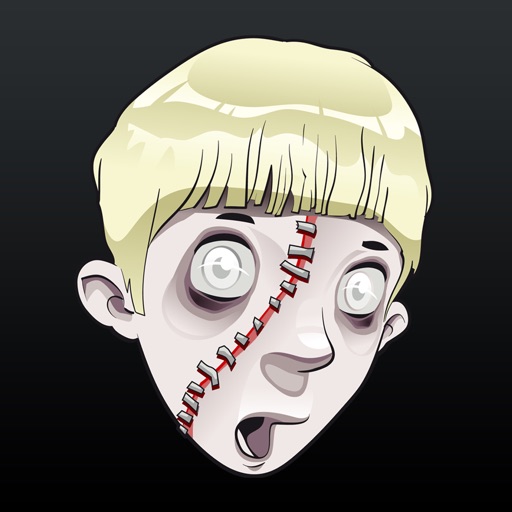
Edit photos by adding realistic scars, cuts, and bruises. Adjust transparency and blur for a lifelike appearance. Share modified images with friends and family.
Images using adjustable strength and soft/hard brushes. Remove stains and defects from photos. Enhance images with high-resolution editing and zoom. Apply focus to hide unwanted details. Offset wrist to avoid finger obstruction during editing.
Edit photos with AI-powered object removal and background blur. Generate from text using AI. Adjust colors, brightness, and contrast. Add filters and effects. Crop and resize . Share edited photos directly to social media.