Apps Like AI Replace & Remove - Fill App for iPhone and iPad
Edit photos with AI prompts and brush
Edit photos by brushing over areas and describing desired changes in natural language. Transform selected regions with precise, photorealistic results. Adjust backgrounds, add objects, or modify details instantly.
by 小勇 蒙★ 4.5870 ratingsPhoto & VideoFreeData updated 2026-09-06
Convert photos to pencil sketches with adjustable effects including ink, outline, stony, charcoal, and cartoon styles. Support black and white and color pencil painting. Apply stylization, high contrast, and other advanced editing tools.
Browse and search for custom to personalize home and lock screens. Set backgrounds with animation or motion effects. Subscribe for unlimited access and remove ads. Renew subscription automatically unless disabled in advance.
Remove unwanted people and blemishes from photos or videos by painting and erasing. Edit images with AI tools, add text, filters, and effects. Adjust facial features like face shape, forehead, chin, and cheeks.
Pages from popular comics like Guardians of the Galaxy and Doctor Strange. Add using tap-to-fill and brush tools. New pages are added weekly. Save and share completed artwork.
Create slideshows by selecting photos from the gallery. Automatically generate transitions and background music. Export videos in various formats and share via social media or messaging. Access pro features with a subscription plan.
AI automatically detects and removes , people, and backgrounds from photos. Users can edit photos with skin whitening, acne removal, body reshaping, object erasing, background changes, cropping, text addition, and filters.
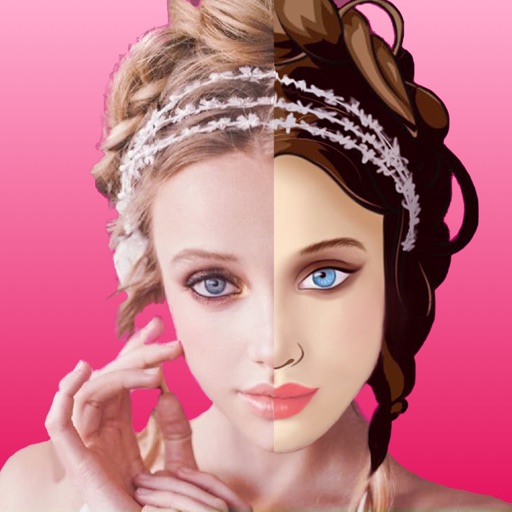
Edit photos by selecting two images from the library and comparing them. Adjust animation settings including repeats and duration. Customize video size and position of photos. Add music and save the video to Photos or share on Instagram.
Edit photos with AI-powered removal and background erasure. Adjust colors, brightness, and contrast. Add text and stickers. Export in various formats and share directly.
Create custom stickers with text, images, and emojis. Add sound effects and animations. Share stickers across platforms. Edit and organize collections. Export stickers in various formats.
Expand photos to any aspect ratio without borders or cropping. Adjust images for social media or design projects. Maintain natural quality during resizing. Outpaint and uncrop photos effortlessly.
Repost allows users to share posts from other users directly within the . They can repost multiple images, schedule reposts with notifications, favorite reposts, and copy captions.
Edit photos with cropping, resizing, blending, and beautification tools. Adjust brightness, contrast, and saturation. Add stickers, backgrounds, graffiti, and borders. Create collages with over 500 stickers. Apply filters to montages.
And people from photos using AI-powered erasing. Edit images with AI expand, generative fill, and AI replace tools. Adjust backgrounds for a natural look. Export edited images in various formats.
Backgrounds from images with precise touch or auto-target tools. Maintain transparency for use in apps like Keynote or Pages. Edit pixels for accuracy and erase or restore specific areas.
Securely store photos, videos, contacts, and passwords with PIN protection. Encrypt and lock browser data. Access secured content with a custom PIN. Manage and organize personal files in private vaults.
Create stories with customizable text using 400+ fonts in multiple languages. Add animations, backgrounds, and stickers. Edit text styles, colors, and layouts. Share content directly to , TikTok, Telegram, and other platforms.
The app offers private storage for photos, videos, and notes. It includes a private web browser that does not save history and allows secret bookmarks.