Explore AR-based photography to cut and remix visual elements. Cutout mode lets users capture and shape objects from photos. Collage mode allows arranging 3D cutouts in space through movement and tapping.
by Zach Lieberman★ 4.727 ratingsEntertainmentFreeData updated 2026-09-18
Create collages by arranging multiple photos in predefined shapes. Choose from 100+ categories including hearts, animals, and flowers. Automatically place photos within selected shapes. Export finished collages.
Merge multiple photos into a single artwork by selecting and combining image sections. Remove or re-add parts using finger painting techniques. Adjust brush settings for precision.
Edit photos with layers, filters, and brushes. Adjust brightness, contrast, and color. Add text and stickers. Export in multiple formats and share directly.
Add watermarks to videos, illustrations, photos, and images. Place single or like wallpaper with adjustable size, density, and transparency. Apply cutout effects for seamless blending. Choose from over 500 fonts.
Shanghai Ruishixinyan Information Technology Co., Ltd
Aesthetics are productivity and lifestyle.
The app offers classic collage and video editing with multi-scenario templates and layout customization. It also provides trendy video kits and a signature design template library with various aesthetic styles.
Create collages by merging up to 20 photos with frames, stickers, and text. Adjust borders, add pattern backgrounds, and use shapes for flyers and posters. Share creations on Facebook, Instagram, and other social media.
Allows trimming, cutting, and adding effects to videos. Collage lets arrange multiple photos into grids or layouts. Slideshow creates timed photo presentations with music. Photo offers filters, cropping, and text tools.
Edit photos with AI-powered cutout tools and apply designer . Create puzzles with auto-generated templates or customize backgrounds and add effects. Access daily new and puzzles. Export 4K images for sharing.
Edit photos by removing objects with a magic eraser and auto-cutout tools. Adjust colors, apply filters, and enhance details. Save and share edited images directly.
Create collages by combining photos and videos. Generate AI-powered videos from text or images. Edit clips with trimming, filters, and transitions. Export videos for Instagram, TikTok, YouTube, Facebook, and Pinterest.
Create stickers by drawing lines to separate objects from photos. Store and share stickers via social media or messaging apps. Use stickers to design collages and combine with photos for creative images.
Edit photos with typography, stickers, and artwork. Apply filters and effects. Add overlays, masks, and drawing tools. Create collages and share to social networks. Includes textures, borders, and patterns.
Play a relaxing antistress game by pressing bubbles to unlock colorful toys. Collect 150 fidget toys to access Secret Mode. Compete with players in bubble-pressing challenges. Features realistic sounds and a calming feel.
Practice with daily puzzles, offline packs, and level-based challenges. Solve problems with unique solutions across beginner to advanced difficulty. Analyze moves with a free engine. Track progress and view Elo ratings.
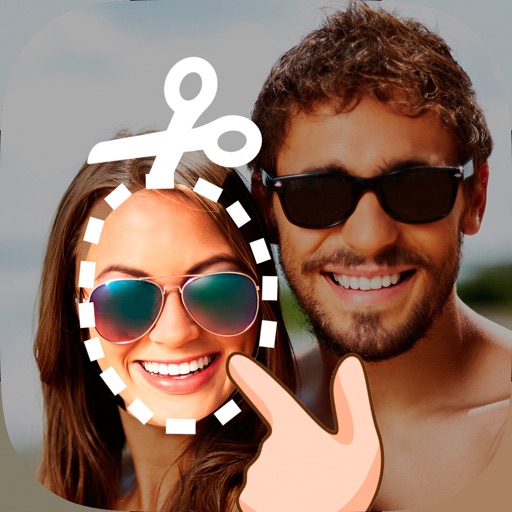
Edit photos by cutting and pasting faces, removing backgrounds, and deleting unwanted people. Add missing faces to photos. Use the silhouette head tool to select and edit elements. Export edited images directly.
Create collages by dragging and dropping cutouts from the photo library. Use smart cutout for quick image selection or long-press to manually cut photos. Edit collages with unlimited drag and drop functionality.
Edit photos with AI-powered background removal and erasure. Refine edges manually for precise results. Enhance image quality and create professional-looking photos without design skills.