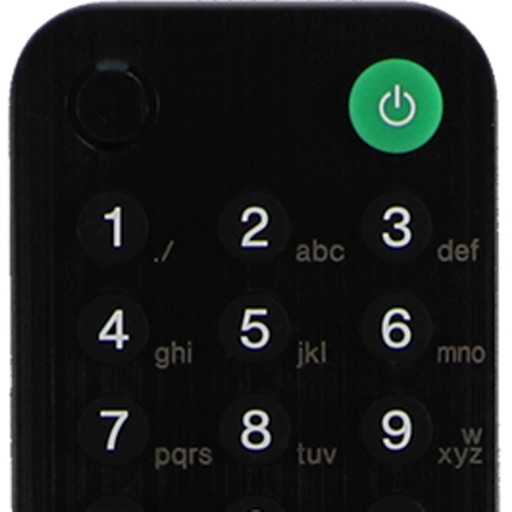
Apps Like Remote control for Sony for iPhone and iPad
Access , play instantly, save last session
Allows users to access their last quickly for instant . It offers a fast touch pad and keyboard for efficient navigation. The interface is designed with a clean and user-friendly layout.
by Oz Shabbatth★ 4.67,802 ratingsUtilitiesFreeData updated 2026-09-17
TV functions via smartphone without a physical . Change channels, navigate menus, and manage launches. Adjust volume, pause, and rewind content. Connect to TV over Wi-Fi on the same network.
Control devices like TVs, streaming boxes, soundbars, and more. Switch between apps, adjust volume, and navigate menus. Pair with smart TVs, Roku, Fire TV, Chromecast, and Android TV. Manage multiple devices from one interface.
Control your Smart TV with a that allows turning it on and off. Use a built-in keyboard for typing on the TV. Navigate with a trackpad support for precise movement.
Locate lost Bluetooth and using real-time tracking. Play a game to with Cold, Warmer, Hot feedback. Save for faster searches. Track multiple simultaneously.
TV with a touchpad for navigating menus and launching channels. Automatically detects Smart TV on the same Wi-Fi network. Simplifies with a clean interface and direct channel access.
CPX offers an - keyboard for quick text insertion. Users can create custom templates for emails, social media, and messaging. The hold burst mode enables bulk message sending. Clipboard management allows efficient text organization and retrieval.
Access computers remotely with full control. View and interact with Mac, Windows, Linux, or Raspberry Pi . Transfer files between devices. Lock or restart computers remotely. Use touch gestures for navigation.
Turn your iPhone or iPad into a control for Smart TVs. Navigate menus with a touchpad and keyboard. Adjust volume, play/pause, and switch channels. Automatically detect and connect to compatible TVs.
Control your TCL Smart TV with full access to power, volume, channels, input sources, and playback. Connect instantly via Wi-Fi and navigate using a touchpad. Adjust settings and manage playback directly from your smartphone.
Control your TV by using touchpad and keyboard functions to navigate menus, change channels, and adjust volume. Access a interface compatible with multiple TV brands. Manage device pairing and settings through the .
Control or Now TV devices from the iOS Today screen using a . Launch channels, navigate menus, and adjust settings without needing the physical . Stream content directly from the interface.
TV functions with a touchpad and integrated keyboard. Navigate menus and access settings quickly. Use voice commands to search for content. Access a sleek, intuitive interface. Compatible with multiple TV brands and models.
Control your PC remotely with custom button layouts and onboard sensors for gaming. Share your screen and camera feed in real time. Access files, run applications, and manage settings from your smartphone.
Control TV functions with a fully functional . Connect devices on the same Wi-Fi network. Access channel shortcuts for quick navigation. Use a fast keyboard for searching. Maintain stable device connections.
TV volume, channels, and power with touch gestures. Navigate menus, access apps, and search content. Compatible with multiple Smart TV models. Perform basic functions without physical hardware.
Lets users manage streaming devices via phone. Navigate with swipe-based controls. Connect devices to same Wi-Fi network. Simplify text input with built-in keyboard. Search and input text efficiently. playback and device settings remotely.
TV or streaming device remotely. Open apps, manage playback, adjust volume, and navigate menus. Connect via Wi-Fi, auto-detect devices, and pair instantly without manual setup.