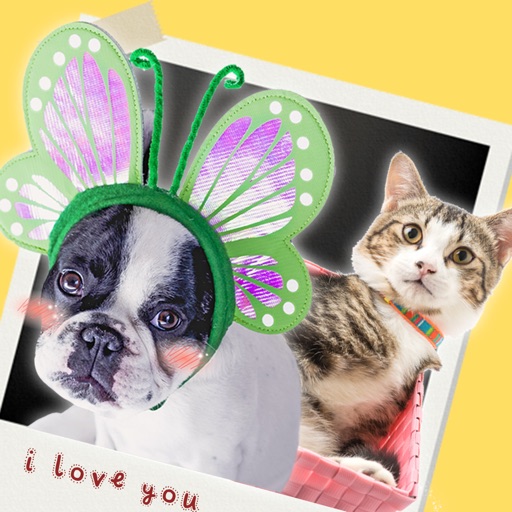
Create photos by setting diameter in pixels, millimeters, centimeters, or inches. Import or capture photos, zoom, and move images. Edit with filters, focus, effects, and text. Adjust colored borders. Save, print, email, or share the final image.
Edit photos by adding customizable beards and mustaches. Choose from various styles and positions. Resize or rotate elements using multitouch. Save edited images and share them with others.
Record using both front and back cameras simultaneously. Capture picture-in-picture footage with one camera. Save videos to the photo library for easy management, sharing, and deletion. Enable night mode for improved lighting.
Create greeting cards by adding photos to frames. Select images from the gallery or take new photos. Choose from various frames and adjust photos with zoom and rotation. Share cards with friends and family.
Format, print, or save photos using predefined templates for 100 countries. Edit job application photos with ten popular formats. Automatically replace backgrounds with a clean white background. Export photos in multiple formats.
Edit photos by flipping, rotating, cropping, and applying filters. Use AI to suggest optimal filters. Flip images live during camera use. Batch edit multiple photos and save directly to the library.
With filters, cropping, and adjustment tools. Apply beauty enhancements and double exposure effects. Use color splash and resize images. Access frames and story templates. Change resolution and export in multiple formats.
Create a photo list from your library or camera, sorted by date. Tap a photo to open a map and navigate to its location. Swipe left to remove photos. Add new photos by tapping the '+' button.
Capture photos with real-time grid lines and flash settings. Use one-touch beautification for selfies. Access weekly updated filters and collages. Add stickers and create collages. Share edited photos directly.
Take multiple photos with customizable delays ranging from 3 to 60 seconds. Use countdown audio for timing. Choose multiple snap options. Control flash settings. Preview photos and share to social media. Save images directly to the gallery.
Allows users to or unblur specific areas of an image. Select photos from the gallery or capture new ones with the camera. Apply effects and save edited images to the gallery. Share blurred photos on social media platforms like Facebook and Instagram.
The app allows users to create personalized Cat in the Hat cards. Users can add characters, stamps, borders, and text to photos from their camera or library.
Create clouds by selecting color themes, fonts, and layouts. Choose from six layouts including horizontal, vertical, and half and half. Input text to generate clouds where common words appear larger.
Edit photos with single-tap effects and professional filters. Adjust brightness and contrast. Apply blur and focus tools. Enhance portraits with specialized filters. Export edited images in various formats.
The app allows users to create flyers, invitations, presentations, and logos. Users can choose from pre-made designs or import their own backgrounds and maps.