Children can create AR projects using visual coding blocks or JavaScript. They can design 3D models, animate characters, and share creations on the Hatch web platform. The supports classroom use, coding workshops, and home learning.
by RN CHIDAKASHI TECHNOLOGIES PRIVATE LIMITED★ 5.01 ratingsEducationFreeData updated 2026-09-17
Languages through interactive games and activities. Practice vocabulary, grammar, and pronunciation. Complete challenges and earn rewards. Track progress and receive feedback. Sync with school curriculum for aligned lessons.
Learn to code and build apps through interactive puzzles and guided lessons. Solve challenges to understand and SwiftUI. Experiment with coding samples and explore unique coding experiences without prior experience.
The app offers a programming environment for creating games, animations, and stories using visual blocks. It supports touch devices, sound recording, camera import, and sharing projects via cloud services.
Apps for games, audio-visual storybooks, business tools, and multimedia lessons using a visual coding interface. Design user interfaces, add interactive elements, and publish apps to the web without coding.
Game for children with four difficulty levels. Solve logic-based tasks to improve creative thinking, attention, and visual memory. Includes features for fine motor skill development and hand-eye coordination. Tracks progress across levels.
Color pages come to life with augmented reality features. Users can scan pages to view animated content. Interact with educational themes through creative activities. Share finished artwork digitally.
Use AR to draw on real surfaces by outlines. Share drawings with others. Learn techniques through interactive lessons. Practice new skills in a realistic environment. Export artwork in various formats.
Learn 3D design through tutorials and practice with Shaper or Blocker tools. Create and customize avatars. Share 3D designs in a global gallery. Unlock advanced features as you progress.
Learn basic math and geometry through interactive . Identify and draw 2D shapes. Compare sizes to recognize differences. Complete quizzes to reinforce and size recognition. Track progress in a structured environment.
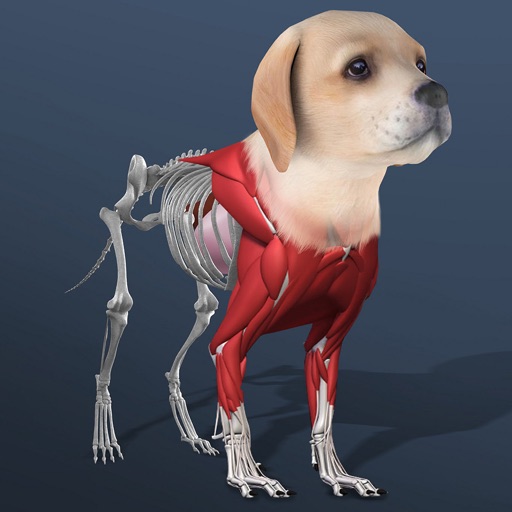
Build and customize pets by growing organs from stem cells. creatures from scratch and evolve them using powerups and boosters. Explore pet anatomy and structure through interactive 3D models.
Create puzzles from photos or choose from ready-made images. Select pictures from the device gallery. Help children develop attention, observation, visual memory, fine motor skills, and coordination through assembly.
Use cards to communicate emotions and intentions. Learn vocabulary and grammar through interactive exercises. Practice with customizable sets. Track progress and receive feedback. Sync with classroom materials for consistent learning.
Create and project drawings in real time using augmented reality. Trace and sketch on surfaces with your device. Adjust colors and brush sizes. Save and share drawings. Sync with other devices for collaborative projects.
Create and customize hot dogs by selecting bread, sauces, and toppings. Save creations for later. Eat hot dogs directly in the or share them with others.
Create and share digital stories with text, images, and audio. Collaborate in real-time with classmates. Access lesson plans and teacher guides. Export stories in multiple formats and publish online.