
My Story School eBook Maker
Create stories, share, and collaborate
MY STORY, LLC
iPhone Screenshots




Description
Create and share digital stories with text, images, and audio. Collaborate in real-time with classmates. Access lesson plans and teacher guides. Export stories in multiple formats and publish online.
My Story School Edition: a complete digital storytelling studio for K-8 classrooms.
My Story School Edition gives every student a place to compose, illustrate, narrate and publish multi-page books. It carries a writing task from a first idea through drafting, revision and illustration all the way to a finished, printed book, supporting ELA, writing workshop, social studies, world languages and SEL from one iPad.
Publishing is the point
Students write differently once they know the work will be printed. Any finished book can be ordered as a professionally printed softcover or hardcover: real paper, real binding, the student's name on the cover. Teachers preview every page exactly as it will print before ordering. Build a classroom library of student-authored titles, send each child home with their own published book at the end of the year, or produce a single class anthology for a family night. Books can also be exported as PDF or video for a class reading, a portfolio or a parent conference.
Built for schools first
• No advertising of any kind
• No in-app purchases and no consumer currency
• No student account creation and no third-party sign-in required
• Student work is stored on the device, with teacher-controlled backup and restore
• Nothing leaves the iPad without a deliberate adult action
Classroom management
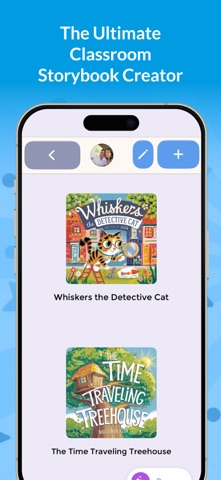
Create an author profile for every student, each with their own shelf of books, avatar and optional PIN. A separate teacher PIN and adult gate protects settings, so a shared iPad moves safely between students. Teachers control which features are available from a single settings screen: image search, GIFs, stock photos and video, the Community Library, publishing and comments can each be switched off to match your school's policy.
Curriculum connections
• ELA and writing: narrative, informational and opinion writing for a real audience, with drafting, revision and publication in one place
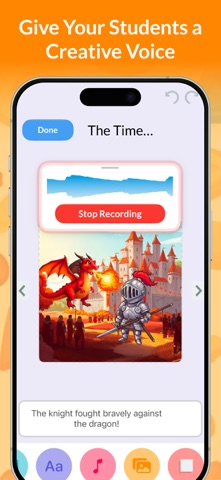
• Speaking and listening: students record their own narration page by page and hear their writing read back
• Social studies: biographies, timelines, community and family history projects
• World languages and ELL: the app is fully localized into 17 languages, and students can compose in any of them
• Visual arts and SEL: drawing, photography and design as a channel for personal expression
How students create
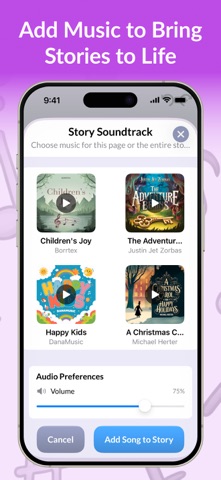
Draw with Apple Pencil, add photos, shapes, stickers, GIFs and 3D objects, record voice narration, add video, and set page transitions and music. Books can be portrait or landscape. Finished work plays back as a real book with page turns.
Reading widely
The moderated Community Library is a shelf of stories contributed by storytellers of every age, families, classrooms and teachers included. It is controlled entirely by the teacher, and publishing and comments are off by default.
Assessment-friendly
Per-student writing statistics, words written, sentences, vocabulary growth over time and books completed, give a longitudinal view of each child's development that a stack of paper cannot.
Requirements
iPad running iPadOS 17 or later. Creation works fully offline; a network connection is needed only for optional stock media, printing and the Community Library.
Planning a district rollout? Get in touch. We would love to help.