Create videos and photos with dynamic movement and sound . Apply pre-designed to photos, videos, or slow-motion clips. Customize during recording or import existing media. Share edited content directly.
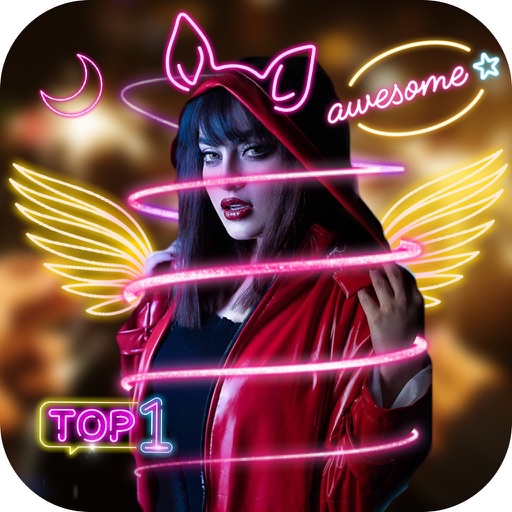
Edit photos with glowing effects and stickers. Add geometric shapes, spiral designs, and lightening effects. Adjust brightness and contrast. Share edited photos directly from the .
Create special videos using preloaded magic and stylish like fire, lightning, laser beams, and neon. Apply to videos or photos. Share finished edits directly with friends.
Edit videos by adding text, music, filters, and sound effects. Apply overlays and voice-overs. Create photo stories animations and artwork. Export final videos in various formats.
Take selfies with a live beauty and apply custom filters. Create collages in 18 styles with masks and frames. Add spiral or neon effects to photos. Enhance and save library images. Capture selfies with a timer.
Create collages from photos and them. photos directly onto CD/DVDs using an printer. Turn photos into coloring books and customize greeting cards. Personalize stationery and artwork.
Apply filters to photos and videos for a cyberpunk aesthetic. Capture timelapses with advanced motion tracking. Use BrainFeverAI to detect and enhance automatically. Edit and share edited content directly.
Create art by drawing on pages with customizable brushes. Choose from 10 brush types including oil, chalk, and watercolor. Paint detailed images of princesses, animals, dinosaurs, cars, and planes. Save and share finished artwork.
Create social media content with customizable templates and themes. Edit photos and videos by removing backgrounds and adding animations. Share finished stories directly to social platforms.
Solve arrow-based puzzles by planning paths and moving through mazes. Avoid traps and clear obstacles to . Features include multiple modes, color-coded , and interactive maze navigation.
Apply filters, glitches, neon, tints, and overlays to photos and videos. Adjust tones, exposure, and vibrancy for artistic effects. Access a community-created library of filters and styles. Add support badges and apply nostalgic or vintage looks.
Characters, objects, and animals through step-by-step tutorials. Choose from various art styles including doodles and detailed illustrations. Compete in multiplayer battles. Save and share creations. Adjust brush settings and color palettes.
Create and edit digital art with brush tools, layers, and blending modes. Import and manipulate images. Save and export in various formats. Sync files via iCloud Drive. Support Apple Pencil for precise drawing. Render graphics using GPU acceleration.