

Apps Like Batch Face Detect And Replace for iPhone and iPad
Allows users to process multiple images at once. It automatically detects faces and offers options to or blur them with mosaic effects or emoticons. Users can edit photos and share them privately.
Batch Face Detect And Replace screenshots
Ranked alternatives
Showing 81–100 of 1,000 ranked alternatives.

CleanEasy: Memory Manage
奇川 熊
Files, delete duplicates, clear events, record memories
Phone storage by removing redundant files with one-tap cleaning. Delete duplicates and similar files to free up space. Clear calendar events and use time capsule features to save memorable moments.

PicMix Lite
Voxeloid Kft.
Merge photos, edit with brush, create art
Merge multiple photos into a single artwork by selecting and combining image sections. Remove or re-add parts using finger painting techniques. Adjust brush settings for precision.


Cut and paste my face in photo
Mireia Lluch Ortola
Edit photos, cut faces, replace backgrounds
Edit photos by cutting and pasting faces, removing backgrounds, and deleting unwanted people. Add missing faces to photos. Use the silhouette head tool to select and edit elements. Export edited images directly.

Face Swap: AI Photo Editor
Bigoen Bilisim Teknolojileri Anonim Sirketi
Swap faces in photos with AI precision
Edit photos with using AI technology. Replace faces between images for realistic results. Create videos and GIFs with animated swaps. Swap faces with celebrities or other photos. Share edited content directly.

Face Swapper - AI Face Swap
Daxit Mangukiya
Faces in photos and share them
Faces in photos using AI technology. Select two faces and replace them in images. Share edited photos on social media and messaging apps. Apply filters and effects to swapped faces. Save and export modified images.


Remove BG Object Eraser - Snip
Ilya Razuvaev
Edit photos, backgrounds, enhance quality
Edit photos with AI-powered background removal and erasure. Refine edges manually for precise results. Enhance image quality and create professional-looking photos without design skills.

Face Morph - Morph 2 Faces
Dongwook Cho
And save as image
Create funny morphs by selecting two photos. one to another and swap to reverse the effect. Adjust intensity and save results as single images or collages. Supports multiple photos.

House Design Pro
Scott Meyers
Homes in 3D and create 2D plans
Create detailed 2D floor plans and real time 3D views. Add over 300 items and materials. Export designs as images. Automatically calculate room sizes and recognize room layouts. Perform intuitive operations for efficient .

Face Symmetry:nobody's perfect
Gaetano La Delfa
Discover facial symmetry with one click.
The app reveals how faces would appear if the right and left sides were symmetrical. Users can load or take photos, process them, and compare facial sides.


Lumeo - Video Effects Editor
ENJOYMENT INTERNATIONAL LIMITED
Edit videos and add mosaic
Edit videos and photos with mosaic and AI filters. Add scribble animations and customize aesthetics. Share content to TikTok, Snapchat, Instagram, and Facebook. Adjust filters and for creative storytelling.

Perfect Pic—Face & Body Editor
Tinkerworks Apps
Edit photos and videos instantly
AI Face Beautifier allows users to enhance facial features, smooth skin, remove blemishes and lines, and de-age appearances.
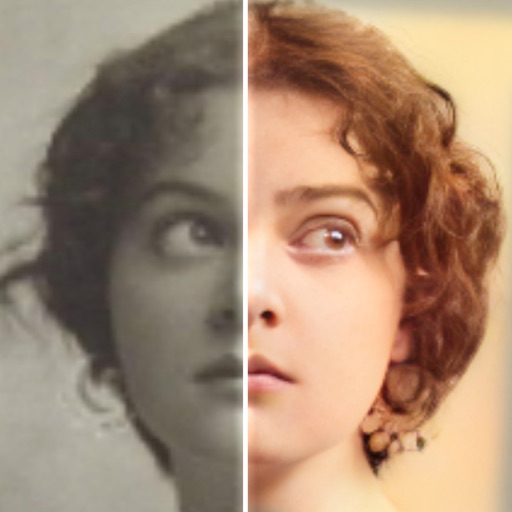
Face Restore Color Old Photos!
Sansa Group AB
Photos and enhance details
Edit photos with AI colorization, enhancement, and restoration. Remove scratches, tears, and blurs. Convert black and white images to high-definition . Adjust clarity and brightness. Share restored photos directly.

Batch Image Resizer Lite
方成 印
Resize and convert image files easily.
The app converts image files between JPG, JPEG, GIF, BMP, PNG, and TIFF. It resizes image files to a fixed width, fixed height, or by a percentage in batches.

How we rank alternatives
Apps are ranked by functional similarity, category fit, rating confidence, and popularity.