Edit photos with a wide range of filters and advanced editing tools. Adjust brightness, contrast, and saturation. Add text and stickers. Export images in various formats and share directly.
by S.L.D Solutions FZE★ 4.714 ratingsPhoto & VideoFreeData updated 2026-09-17
Edit photos with , , and collage tools. Create montages and custom collages. Adjust brightness, contrast, and saturation. Add text and stickers. Share edited images directly.
Edit photos with cropping, formatting, and collage tools. Apply professional filters, frames, and backgrounds. Use the aging camera to preview future self. Add animated effects and secure vault for private content.
Edit photos with cropping, resizing, and background removal tools. Generate AI images and create collages. Adjust colors and brightness. Export in various formats and share directly.
Edit photos with and facial reshaping tools. Apply over 20 unique filters. Adjust proportions, enhance curves, and refine specific areas like arms or facial features. Export edited images in multiple formats.
Edit photos with cropping, filters, and color adjustments. Add text, stickers, and effects. Save and share edited images directly. Import photos from device storage. Adjust brightness, contrast, and saturation. Export in various image formats.
Take property photos with guided shooting modes and auto-stabilization. Adjust exposure, brightness, and color in real time. Export images directly to BoxBrownie.com for professional editing. Share edited photos via email or cloud storage.
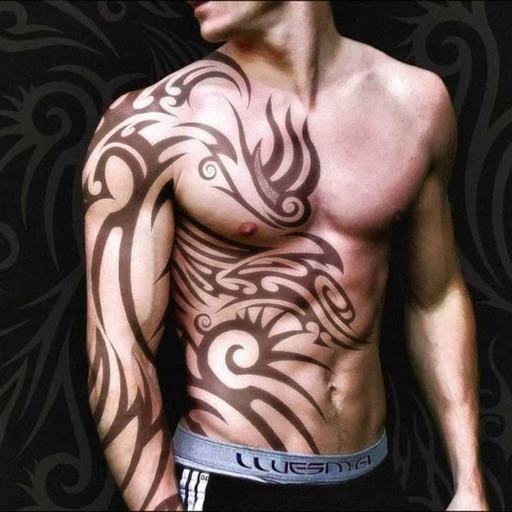
Create tattoos on photos with high-definition images. Select from various styles like dragon, color, love, and kanji. Apply effects and save or share directly. Choose photos from camera or gallery.
Edit photos with auto and drawing tools. Apply 20+ effects and unique shapes. Zoom for high-resolution details. Use brush offset to avoid finger interference. Preview and adjust focus areas. Export edited images directly.
Apply photo to enhance images. Adjust brightness, contrast, and saturation. Add to photos and videos. Share edited content directly to social media platforms.
Edit photos with color filters, adjustment tools, and customization options. Apply creative color grading. Export edited images in various formats. Share photos using the #digitalfilmapp hashtag.
Edit photos with AI-powered retouching, facial enhancements, and background blur. Adjust lighting, color, and composition. Export in high-resolution formats and share directly.
Edit photos with resizing, cropping, and options. Add text, polaroid frames, and stickers. Generate square, landscape, or portrait images for social platforms. Export and share edited photos directly.
Edit photos with crop, rotate, and filter tools. Adjust brightness, contrast, and color. Add text, stickers, and draw on images. Apply blur, focus, and special effects like magic and splash. Export and share edited photos.
Add to photos with customizable fonts, colors, and styles. Adjust size and position for precise placement. Apply effects and export edited images directly.
Add light leakage and filter effects to photos. Apply color date watermarks. Edit daily life and travel photos. Re-add date watermarks to existing photos. Simulate a real one-time camera with 8mm/35mm film.
Edit photos and videos with text, shapes, logos, and custom styles. Adjust colors and brightness. Add stickers and filters. Export and share directly to social media platforms.
Edit photos by converting them into -style avatars using AI technology. Adjust facial features and style settings. Save and share edited images in various formats.
Edit photos with texture overlays and film effects. Add retro vibes, glitches, and grain. Adjust brightness and contrast. Export and share edited images directly.