Use stickers featuring and his to express emotions. Add text to stickers. Share stickers across platforms. Customize sticker styles and colors. Save and organize created stickers.
by Kakao Corp.★ 4.867 ratingsStickersFreeData updated 2026-09-17
Create and share stickers featuring and Automattic mascots like Wapuu and Drake. Add "Woo!" WooCommerce stickers to messages. Customize stickers with community-designed variations. Share stickers in chats and social media.
Add to message thread by tapping or dragging it onto messages, photos, or other stickers. Place stickers anywhere in the conversation. Features include customizable placement and integration with messaging apps.
Add stickers from the "Liar!" to iMessage chats. Select stickers from a library featuring characters from the . Send stickers directly or place them anywhere in the chat by tapping and holding.
Send animated stickers featuring a fluffy pup with soft spins, twirls, and hug-filled loops. Add stickers to messages to express comfort, joy, or warmth. Share playful animations in chats to enhance conversations.
Use stickers, icons, and animated emojis to personalize messages and emails. Features include mermaid and shark themed designs, animated effects, and easy text customization. Share creations across platforms with direct integration.
Send and receive in iMessage. Choose from a variety of characters. Customize sticker size and position. Purchase once for lifetime access. Update regularly for new content.
The app allows users to add text, stickers, and filters to photos. Users can create typographic layouts, design social media posts, and enhance pictures with various frames and adjustments.
Stickers allows users to send and receive 240 unique high-quality stickers in iMessage. Includes 76 free stickers. Users can purchase to access all stickers. Stickers include expressive and cute designs for personal and social messaging.
Send as stickers with watercolor backgrounds, flowers, and greenery. Include encouraging and inspiring messages. Decorate text messages with festive designs. Share with friends and family.
Add stickers and effects to iMessage conversations. Resize stickers with pinch gestures. Include Day . Place stickers over messages, images, or other stickers. Share emotions and ideas through humor and visual effects.
Add to message thread by tapping or dragging it onto the message area. Place on photos, other stickers, or anywhere in the conversation. Features include customizable placement and integration with messaging apps.
Send -drawn stickers to friends with expressive . Create and send custom signals. Purchase Premium for animated and seasonal . Submit sticker ideas to the developer.
Send directly within iMessages and WhatsApp conversations. Tap to select and send that express emotions and add visual flair. Customize sticker choices to fit different messages and conversations.
Add stickers to messages by tapping or dragging them onto the message thread. Place stickers on photos, other stickers, or anywhere in the conversation. Features include customizable placement and themed sets for messaging and communication.
Send birthday stickers featuring cats, cakes, gifts, and party decorations. Add text to customize stickers. Choose from 32 illustrated designs in pastel colors. Share stickers in messages to celebrate birthdays.
Create and share custom rabbit featuring crude drawings of Weber the Wonder Bunny. Add text and emojis to . Save and send via messaging apps. Organize sticker collections by theme or character.
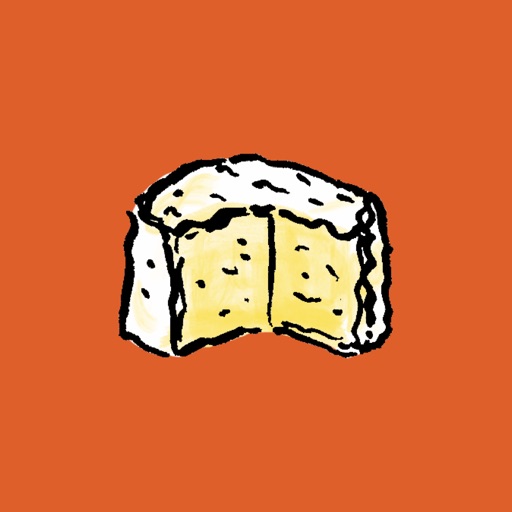
Send -themed stickers featuring hand-drawn illustrations of various types. Choose from 60 designs representing different styles and origins. Drag and drop stickers onto existing messages or send as individual messages.
Create custom stickers cup notes, photos, and monograms. Choose from themed sticker packs in the shop. Customize sticker designs various options. Unlock additional categories and sticker packs through in- purchases.
Add stickers to messages by tapping. Peel and place stickers over message bubbles or photos by tapping and holding. Layer stickers on top of each other. Include , bitmoji, and memoji styles.