Allows real-time viewing of endoscope footage via Wi-Fi. Users can record videos, take photos, and manage devices. The enables remote control of the endoscope and playback of captured media.
by 连咏 刘★ 0.00 ratingsPhoto & VideoFreeData updated 2026-09-17
Control and view the Action Sport via WiFi. Preview live video stream, take photos, and start or stop video recordings. Adjust settings remotely. Connect by enabling Wi-Fi on both devices and searching for the ’s signal.
The app provides remote live monitoring for LILIN NVR, DVR, and IP camera products. It supports features like PTZ control, two-way audio, and remote playback of recordings.
Reverse video creator allows users to record or upload videos and play them backward with a single tap. Adjust playback speed to slow down or speed up videos. Add music and sound effects to enhance videos.
Record video footage with high-resolution camera. Save and share clips for insurance or legal purposes. Access timestamps and location data. Set motion detection and impact alerts. Export files to cloud storage or email.
Allows guests to take photos with Photo Booth, record videos, answer quiz questions, and write or draw. Features include customizable options for photo and video capture, interactive quizzes, and guest participation without supervision.
Organizes into trips automatically. Builds 3D maps of locations. Displays visit counts for each destination. Allows sharing of organized stories. Enables viewing of within map views. Lets users relive trips through curated photo collections.
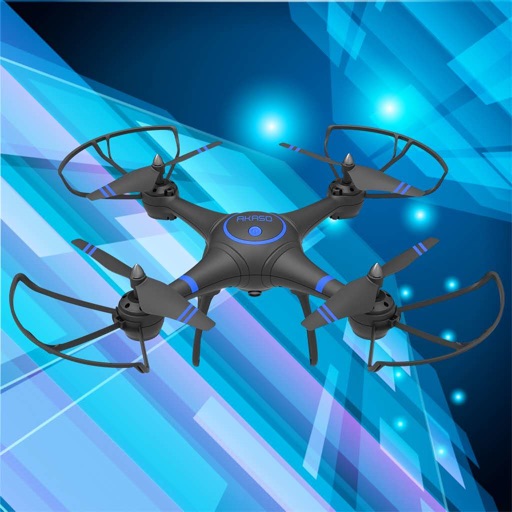
Control drones, view real-time video, record photos
Control a four-axis drone via WiFi. View real-time video feed from the drone's camera. Capture photos and videos using the device. Enable VR mode for immersive viewing. Use voice commands for flight control.
Apply retro 80s filters to photos and videos. Adjust color, contrast, and grain for a vintage look. Add glitch effects and simulate low-resolution video. Share edited content directly to social media.
Record with high-resolution video capture for tutorials, gameplay, and more. Edit recordings with trimming, cropping, and effects. Share directly via social media or email. Manage saved files in a centralized library.
Watch videos in -in- mode while browsing or with the screen locked. Pause and resume playback. Download videos for offline viewing. Share videos via Safari share sheet.
Control a -enabled dash camera to preview videos in real time. Download and playback videos, capture still images from video, and browse emergency and regular video lists.
The app allows users to view, edit, and manage photo metadata, including dates, times, and locations. It enables users to fix photo dates and times, edit location metadata, and label photos visually.
The app helps users calculate shooting time for timelapse footage. It assists in determining the necessary capture duration for a specific playback length.
Share photos across multiple devices with real-time synchronization. Control the slideshow from one device while others view it on their iPhones. Navigate through images, pause, and resume playback. Adjust brightness and contrast for optimal viewing.
Make kids to celebrate loss. Record automatically. Share videos family. Encourage brushing and dental visits. Create lasting memories during loss milestones. No setup required.
Record videos, track interactions, chat in real-time
Record videos to send to contacts or customers. Track recipient interactions and view delivery status. Chat with customers in real-time. Upload contacts manually or connect to a CRM to populate task lists.
View and record UVC video feeds using a compatible capture device. Adjust exposure, focus, and white balance. Export videos in high-quality formats. Edit clips with trimming and cropping tools.