Multiple images simultaneously with customizable pixel dimensions. Choose from four modes including fixed width, fixed height, maximum pixel, aspect fill, or aspect fit. Export resized images in selected formats.
And compress multiple photos at once to free up storage. Print photos at actual size with inch, cm, or mm measurements. Rotate, flip, and crop multiple photos simultaneously. Convert photos to JPEG, PNG, or HEIC formats and share them directly.
Create videos by selecting templates, adding images, and customizing text. Rotate images and use stickers. Share videos across platforms. Access trending content and new daily videos. Add personal signatures and edit clips with improved tools.
Edit photos by selecting from Camera Roll or taking new shots. Apply real-time effects to create prism-like glass pieces. Adjust frames, shapes, and patterns. Rotate, resize, and drag elements for custom designs. Export and share edited images.
And resize photos for social media profiles including Instagram, Facebook, Pinterest, and LinkedIn. Trim and compress videos. Apply blur, flip, and rotate functions. Export edited media in optimized formats.
Resize images to fit various formats like Instagram posts, stories, Facebook covers, or custom ratios. Adjust aspect ratios manually or select preset options. Apply Fit or Fill modes to scale images without cropping or stretching.
Capture low-resolution photos and videos in multiple formats including 144p, 288p, and 360p. Record with or without audio to reduce file size. Use flash and GPS location tagging (available as an upgrade). Preview image quality in real time.
Resize photos and videos with custom dimensions, aspect ratios, and percentages. Adjust brightness, contrast, and color profiles. Apply 100+ templates for social media or anamorphic output. process multiple files.
Edit photos by applying and effects. Select images from the gallery or camera. Adjust frame position, size, and angle. Choose from multiple stylish frame options and effects.
Convert photos and images between JPG, PNG, and formats. Adjust compression quality for each file. Batch convert multiple images at once. Select destination folder or share directly without complex steps.
The app allows users to create Hollywood-inspired movies with cinematic sound effects and background music. Users can export their movies in various resolutions and share them directly to social media platforms.
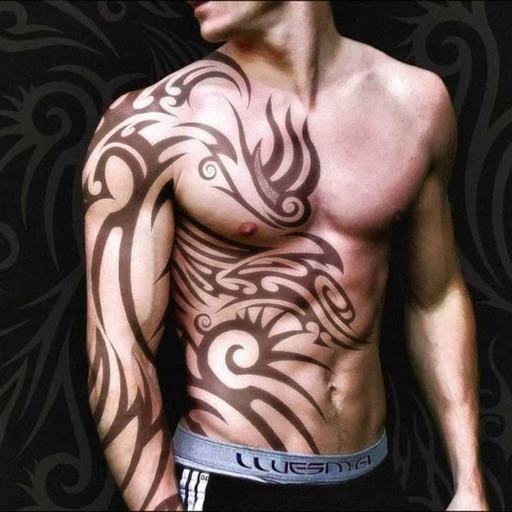
Create tattoos on photos with high-definition images. Select from various styles like dragon, color, love, and kanji. Apply effects and save or share directly. Choose photos from camera or gallery.
Select photos from gallery or photo library. Choose from numerous PIP frames. Use single image for both foreground and background or different images for each. Edit foreground and background separately. Apply photo filters.
Arthur Eduardo Skaetta Alvarez Desenvolvimento de Software LTDA.
Select frames and export -res photos
Select a and scroll through frames to capture a - image. Export the selected frame in original resolution or HEIC format for smaller file size. Share the image directly from the .
The app allows users to add text captions to photos and share them. Users can select from 78 custom fonts and 41 layer effects, including banners, thought bubbles, frames, and emojis, to enhance their captions.