WhatNow offers a redesigned interface for task management. Users can create, organize, and prioritize tasks. Set reminders and deadlines. Track progress with visual indicators. Sync across devices. Share tasks with others.
by E.N.D. S.A.R.L.★ 4.721 ratingsLifestyleFreeData updated 2026-09-16
Create to-do lists and set reminders for tasks. tasks into boards or lists. Assign priorities and set deadlines. Track progress with visual boards. Sync across devices and collaborate with others. Receive notifications for upcoming tasks.
Spin reels to trigger winning combinations. Watch symbols align with animated effects. Customize sound and visual settings. Track game history and progress. Adjust bet amounts and paylines. Share results on social media.
View your location reimagined in the visual style of iconic video . Navigate using terrain, elevation, and pathfinding data. Tap to explore details and compare real-world locations with in- map aesthetics.
Organize tasks with an adaptive timeline that fills time slots efficiently. Set and prioritize tasks with due dates and reminders. Sync across devices and collaborate on shared projects with real-time updates.
Design custom bras by selecting from hundreds of styles, colors, and fabric textures. Choose and combine three bra parts to create unique designs. Save and share creations with other players.
Access real-time news, game scores, and statistics. View video clips of press conferences and coaches. Share updates via social media. Track upcoming matchups and game recaps. Receive breaking news alerts.
Organize tasks with a clean interface, prioritize with a heatmap, customize colors and fonts, and complete tasks with swipe gestures that provide feedback through sound. Track progress and manage daily workflows efficiently.
Dramas with customizable genres and themes. Browse episodes by category. Save favorite shows. Set reminders for upcoming episodes. Share content on social media. Sync progress across devices.
Digital Legal Tech, Societatea cu Raspundere Limitata
Plan tasks and schedule events
Plan schedules by adding appointments, to-do lists, tasks, and recurring events. Turn pages to switch weeks. Organize and track progress with a digital diary interface.
Create daily with customizable lists and zone-based organization. Track progress with weekly goals and reminders. Sync tasks across devices and receive motivational prompts to maintain consistency.
Purchase health-focused beverages with -based ingredients and proprietary PP7 formula. View nutritional information and ingredient details. Track consumption and manage inventory. Share product recommendations with friends.
Manage clips with 3D Touch support and multi-select. Use Split View for simultaneous editing. Set password protection for secure access. Organize and edit clips with intuitive tools. Sync and share clips across devices.
Play with penta bricks to clear lines. Rotate and move pieces to fit ly. Clear lines to score points. Unlock new levels and themes. Compete with global players. Track progress and achievements. Adjust difficulty settings.
Plan schedules with time blocking to prioritize tasks. Manage calendar events and to-do lists in one interface. Set reminders, track progress, and sync across devices. Export plans and share schedules with others.
Build custom fighters with detailed 3D models and personalized accessories. Engage in battles with realistic physics and responsive controls. Explore augmented reality features for immersive gameplay.
Create Action Cards to organize tasks and projects with a digital card-based interface. Set reminders for specific like watering plants every Saturday. Track progress and manage to-do lists for both work and personal life.
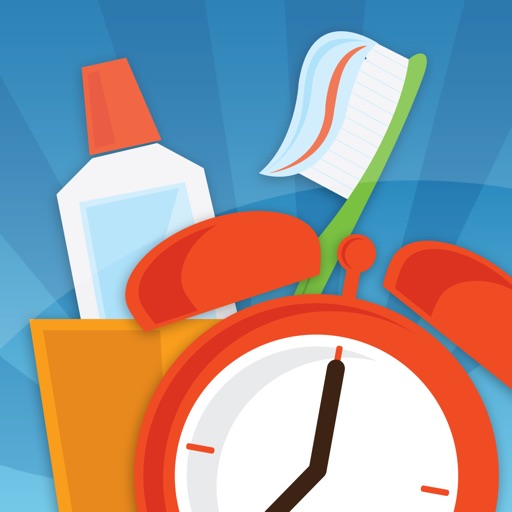
A visual countdown timer helps children complete on schedule. operate the to set and track tasks in different rooms. Features include timers, progress indicators, and task completion tracking.