Take notes and write sentences with a simple, intuitive interface. Undo and redo edits to correct mistakes. Restore notes from update history. Move cursor and perform copy, cut, paste actions via keyboard toolbar. Designed for one-handed operation.
by Makoto Yamabayashi★ 4.930 ratingsProductivityFreeData updated 2026-09-16
Syncs with apps to import events. Write directly on digital events using Apple . View daily, weekly, monthly, and yearly schedules. Add handwritten notes and reminders. Export plans as PDF or image. Sync across devices.
Write entries with fast and simple text input. Attach photos to notes. Choose from multiple themes for font and background. View all notes in a calendar with monthly, tag, and overview views. Search by keywords. Backup and restore data.
Create memos with text input, organize notes into three tabs: memo, remarks, and history. Use remarks for additional notes or drafts. Track note history for reference and editing.
This app offers optimized text editing for thumb operation. It includes features for easy phrase selection, quick HTML tag input, and command buttons for copy, paste, cut, and undo.
Write notes, create checklists, and schedule tasks. Adjust text size with pinch gestures. Automatically expand column height based on text or font size. table of contents for organized notes.
Write and edit documents with RTF and Markdown support. Annotate and organize with customizable margins, headers, and footers. Edit PDFs directly and save in multiple formats. Sync across devices and access content offline.
Securely store with PIN or biometric lock. Prevent theft by capturing face images on failed attempts. Convert images to text using OCR for saving documents. Sync across devices via account.
Record with unlimited length and number of recordings. Add markers during recording. Edit recordings by cutting, copying, pasting, undoing, and redoing. Purchase editing features for advanced modifications.
The app allows users to enter and modify formulas while checking them, preventing errors. It provides a history of formulas and answers, supporting various number systems and memory functions for calculations.
Customize keyboard , phrases, and responses to streamline input. Insert saved snippets and templates quickly. Personalize pre-programmed keys for frequent tasks. Save time by reducing repetitive typing.
Create , to-do , and memos in one . Add text, bullet points, and reminders. Organize entries into folders. Search for specific quickly. Export as text files. Sync across devices.
Create handwritten with customizable pens and highlighters. Annotate and markup PDFs. Record audio . Use AI to enhance note-taking. Organize with folders and tags. Sync across devices. Export in multiple formats.
Allows editing and text with syntax highlighting for over 80 languages. Connect to SFTP, FTP, WebDAV, or Dropbox. Use built-in SSH terminal for server access. Save and export files directly.
Create and edit notes with text input. Count characters in notes. Adjust font size and number of rows displayed. Change order. Share notes with others. Delete notes. Set a password for security. Customize notes as a personal notepad.
Save frequently used text snippets on a personal pasteboard. Access and copy text quickly from a toolbar. Edit fonts and choose between dark or light themes. Sync with Instagram, WhatsApp, Messages, Snapchat, and Tik Tok.
Take notes with text, images, and attachments. Archive notes for organization. Edit notes with version history. Sync across devices using iCloud. Backup notes automatically. Add a widget for quick access. Use with Apple Watch and iMessage.
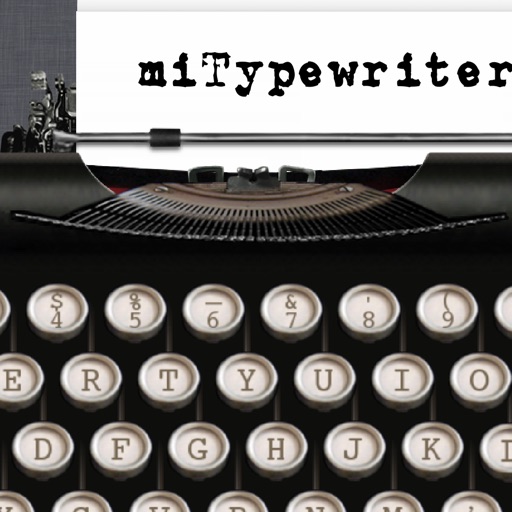
The app provides a realistic typewriter experience on the user's iPad. It offers features such as email by image or text, a backspace key, multiple fonts, keyboard layouts, and ink ribbon colors.