View photos with customizable gestures and animated GIF support. Reblog or save posts directly. Access dashboard, likes, or blogs. Save photos to Dropbox, Evernote, Google Drive, or SkyDrive. Support for photosets and over 250 posts on dashboard.
Browse content with multiple tabs for organized browsing. Bookmark favorite blogs for quick access. Save images and videos directly. Download content in batches. View usage data for subscribers or ads for free users.
The app provides tools to add text to images. Users can select from over 400 fonts, install additional fonts, and customize text size, color, and orientation.
Stitch multiple photos into a single image. Share the result on Facebook, Twitter, and Tumblr. Adjust alignment and spacing between images. Export in various formats.
View posts in thumbnail format. Separate photos and text content. Create slideshows. Reblog or like posts easily. Auto-refresh feeds. Manage likes and follow accounts. Use multiple accounts. Set passcode for privacy.
View daily from past years with time-stamped photos, videos, and posts. Swipe or tap through content. Share with friends. Set reminders for special dates. Sync with social media accounts.
Share updates through Stories and Notes that disappear after 24 hours. Post videos via Reels for short, entertaining content. Connect with friends and explore shared interests. Create and share multimedia content directly.
Set and lock screen images from a large collection. Access iMessage stickers and messages. Download new content regularly. Customize themes and apply them to devices. Share with others.
Record with a pause button to stop and restart recording. Trim and cut videos using the built-in editor. Apply filters like black and white, sepia, or hipster. Save videos in 4K format.
Apply real-time cartoon and art effects to live camera feed. Record videos and take photos with cartoon filters. Convert existing videos into animated cartoons. Share edited content directly.
Customize home screens with , choosing from large, medium, and small sizes. Select clock and calendar styles, and apply multiple fonts and colors. Add in simple steps to enhance screen aesthetics.
View recent posts from followed sites and users. Share short updates, links, and replies. Format content with markdown. Customize themes and categories. Upload photos, podcasts, and videos. Manage full-length posts alongside microblog entries.
Blocks ads across websites and videos, preventing interruptions. Opens links in private mode for enhanced security. Supports multiple tabs for managing browsing sessions. Enables full-screen playback without ad overlays.
On with precise tools. Add text, shapes, and stickers. Insert layers and blend images. Create collages with frames and stamps. Design custom stickers and share directly via iMessage or the .
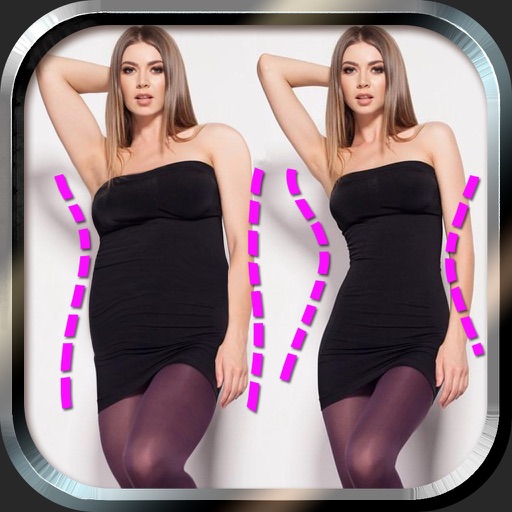
Edit photos to and body using auto-detection. Adjust and body thickness with sliders. manual edits and undo changes. Compare original and edited images. Save results to albums and share via email or social media.
Turn photos into realistic with advanced filtering and detailing tools. Create unlimited and save high-resolution versions. Capture photos directly within the for immediate creation.