Apps Like procreate绘画-sketchbook画画 for iPhone and iPad
Draw, share, and create art anytime
Create and share original art with a wide range of brushes and tools for realistic drawing. Draw geometric shapes like rectangles, ellipses, and circles. Practice handwriting, signatures, and calligraphy. Share creations with a community of artists.
by 林 李★ 1.01 ratingsProductivity$1.99Data updated 2026-09-16
Kidding Box Oyun Studyosu Teknolojileri Anonim Sirketi
Draw lines, solve puzzles, challenge your mind
Draw shapes and objects with a single continuous line. Complete puzzles by connecting points without lifting the finger. Track progress and challenge friends to improve cognitive skills and focus.
Allows users to import photos and access over 20 ultra-realistic brushes. Create detailed and paintings with adjustable brush pressure and flow. Export artwork in multiple formats and share directly.
Create and share visual notes with freeform drawing, typing, and handwriting. Add sticky notes, notes grid, and diagrams. Collaborate in real-time with teams. Export boards and integrate with 365.
Create original artworks using particle brushes for light effects and designs. Adjust brush settings for texture and flow. Save and share creations directly. Explore artistic inspiration through interactive tools.
Create custom emojis with adjustable colors, shapes, and styles. Choose from various sticker packs to personalize your collection. Share emojis across social apps and save favorites for easy access.
Create intricate tessellations and mandalas using 20 symmetry options. Draw with customizable colors and patterns. Adjust symmetry settings to design complex shapes. Save and export artwork in various formats. Share creations directly from the .
Create paintings by following numbered instructions on printable images. Choose from themed pages like florals and animals. Share artwork with friends. Access new images daily. anywhere using a mobile device.
And open worlds using customizable blocks. Create structures and characters with various tools. Save and share creations. Navigate through vast environments and interact with built elements.
Create art with a simple interface. Tap to draw and access basic tools for designing SNS icons, game skins, or craft patterns. Export artwork for use in perler beads, cross-stitch, or knitting projects.
Create videos with drawing tools and edit existing movies. Add text, stickers, and effects. Export in various formats and share directly. Track editing progress and access advanced trimming features.
Create symmetric kaleidoscope patterns, mosaics, and fractals. Customize colors, shapes, and brushes. Use free-form zooming and add stickers. Adjust settings for unique designs. Save and share artwork.
Draw and share illustrations with real-time collaboration tools. Access a community with millions of user-generated artworks. Use advanced drawing features for precise line work and color blending.
Create and share custom add-ons, skins, and worlds. Edit and customize in-game items. Post creations to a community platform. Access pre-designed templates and tools for easy modification. Export and share content directly.
Create videos by importing characters, adding backgrounds, and inserting music. Animate characters with fun effects. Share finished videos on YouTube. Features include customizable colors, animations, and -style art.
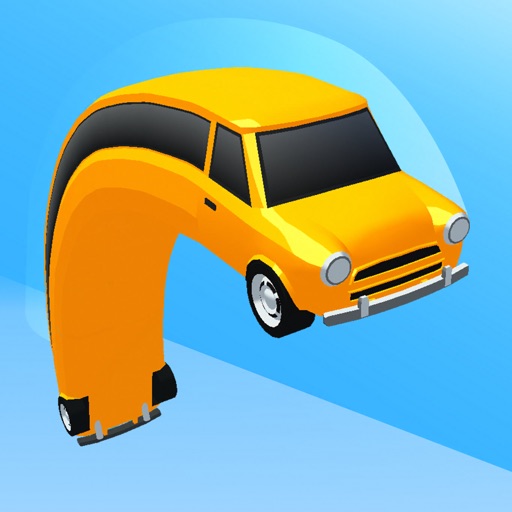
Customize vehicle designs by drawing lines to alter car shapes. Navigate through challenges by adjusting vehicle forms. Save and share unique car designs.
Calculate areas and volumes of various shapes including squares, rectangles, triangles, circles, and ellipses. Input dimensions to get formulas and results. View volume calculations for cubes, cylinders, cones, and spheres.
Generate random, silly, and unique drawing prompts. Share ideas on social media with the # hashtag. Pair with digital or traditional drawing tools to create art based on prompts. Save and organize generated ideas.
Solve puzzles by positioning wobbly geometric shapes and using gravity. Understand physics to complete levels. Rotate pieces and adjust gravity to find solutions. Challenge yourself with increasing difficulty.
Create interactive visualizations using particle effects, waveforms, gravity simulations, and lightning patterns. Adjust colors, motion, and intensity. Save or share generated art.