Apps Like procreate绘画-sketchbook画画 for iPhone and iPad
Draw, share, and create art anytime
Create and share original art with a wide range of brushes and tools for realistic drawing. Draw geometric shapes like rectangles, ellipses, and circles. Practice handwriting, signatures, and calligraphy. Share creations with a community of artists.
by 林 李★ 1.01 ratingsProductivity$1.99Data updated 2026-09-16
Create custom zombies by selecting from backgrounds, bodies, clothes, eyes, hairstyles, heads, legs, and mouths. Share creations via email, Twitter, Facebook, or save to disk. Access an integrated store for additional parts and regular updates.
Create word clouds with customizable text, fonts, and layouts. Adjust colors, shapes, and sizes for artistic designs. Save high-resolution images for printing on merchandise like T-shirts, bags, and mugs. Export as images or share directly.
Create and customize pop-it by selecting shapes and applying styles like solid colors, stripes, or textures. Save creations to a gallery for later play or trade with others. include DIY mode and various levels for interactive play.
Create and style virtual hairstyles using a variety of tools like combs, scissors, curling irons, and color palettes. Choose from six characters and customize their looks with accessories and hairstyles. Save and share creations.
Teaches basic shapes, colors, and sizes through interactive games. Children arrange objects by attributes, solve logic-based puzzles, and create geometric figures. Features include sorting tasks, matching activities, and progress tracking.
Stream Christian rock music from artists like Skillet and Switchfoot. Access 24/7 playback. Engage with a community of fans through interactive features. Share playlists and track favorite songs.
Draw on lock screens in real-time with contacts. Collaborate on artwork instantly. Share drawings and messages directly. View and respond to each other's creations. Sync drawings across devices for shared experiences.
Create immersive visual art displays with interactive elements. Adjust colors, shapes, and motion patterns. Choose from various visual styles for meditation, relaxation, or entertainment. Share creations or view them as digital art.
Look up words, translate, and practice handwriting
Look up words with detailed explanations from multiple dictionaries. Convert between simplified and traditional Chinese. Practice handwriting with stroke animations and calligraphy exercises.
Sketch directly on the screen with pressure-sensitive tools. Adjust brush size and opacity. Rotate, resize, and move drawings. Save and share artwork in various formats. Export as vector or raster files.
The app allows users to create glowing artworks by spinning. It features colorful glow brushes, recording and playback functionality, and the ability to save creations to the camera roll.
Create and customize virtual characters with a wide range of costumes. Share personalized outfits in a community to connect with others. Design custom costumes using a creative workshop tool. Collaborate with others to enrich the community content.
The app allows users to create geometric shapes and explore their properties. It includes tools for drawing, annotation, and transformations, with automatic metric calculations and snapping features.
Edit photos with tools like Pen, Line, Arrow, and Rectangles. Apply filters, effects, and enhancements. Add text, stickers, and adjust lighting and color. Remove blemishes and red-eye. Crop and resize images.
Create geometric patterns and ornamental designs with adjustable shapes and colors. Generate 3D models, kaleidocycles, Escher-style spirals, and animated GIFs. Export as videos or images. Transform and deform patterns with intuitive tools.
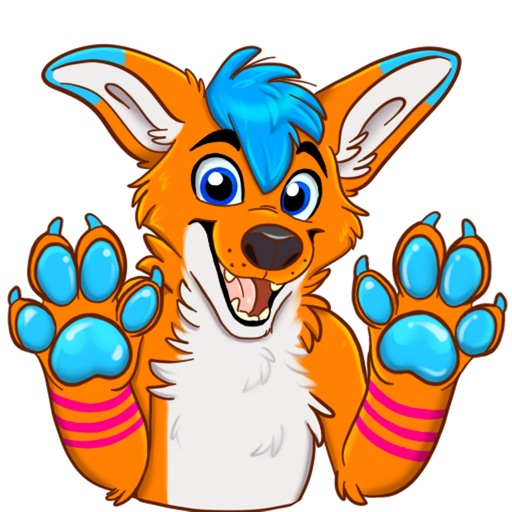
Use stickers featuring Avi Fox to express actions and emotions. Customize messages with character-specific visuals. Share stickers via messaging apps and social media. Access a wide range of expressive designs for personal and creative use.
Draw with a pen or apply colorful stamps. Tap to change background colors between white and black. Save drawings, erase, or retry. Play sounds when using stamps or drawing lines.
Create organizational charts without manual drawing. Add team members, assign roles, and automatically generate visual hierarchies. Edit structures, export as images or PDFs, and share directly with colleagues.