Apps Like procreate绘画-sketchbook画画 for iPhone and iPad
Draw, share, and create art anytime
Create and share original art with a wide range of brushes and tools for realistic drawing. Draw geometric shapes like rectangles, ellipses, and circles. Practice handwriting, signatures, and calligraphy. Share creations with a community of artists.
by 林 李★ 1.01 ratingsProductivity$1.99Data updated 2026-09-16
Create designs with a sketchpad interface. Select from modular patterns and fabric textures like wool, linen, and velvet. Choose geometric, natural, abstract, or ethnic prints. Customize colors and apply effects.
Create digital artwork using -by- templates. Select colors, fill in numbered sections, and save or share creations. Access a library of images for coloring. Adjust palettes and zoom in for detailed work.
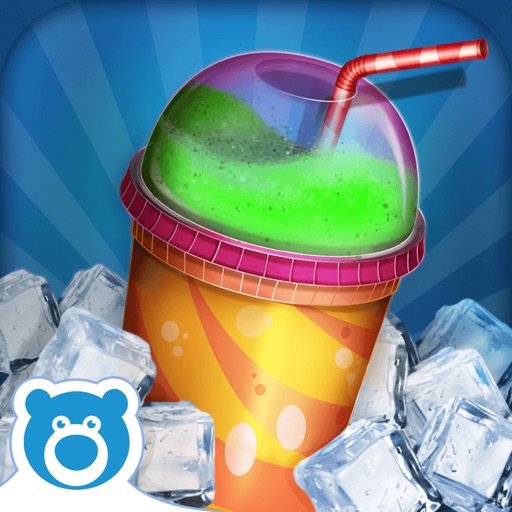
Create custom slushies by selecting from various flavors like Cherry Cola and Zombie Guts. Customize cups, straws, and stickers. View and share your creations.
Allows users to draw on their iPhone or iPad using 10 different pens, including ball pen, pencil, and brush. Users can create various line shapes and images. Drawings can be saved and shared directly from the device.
Color pictures with realistic brush strokes and save creations. Access a variety of pre-drawn images to color. Draw freely on blank pages with zoom functionality. Watch video replays of drawing sessions.
Create and share text-based avatars using customizable pixel art. Choose from a variety of bird templates and modify colors and shapes. Save and export designs. Share creations on social media or within the .
Build and customize worlds with crafting, mining, and farming. Create and share creations online. Play multiplayer with friends. Use custom skins and weapons like rockets, lasers, and swords.
Create art using with 2-fold to 128-fold options. Draw patterns or let the generator create designs. Adjust brush size and style. Share creations on Facebook, Twitter, Instagram, and other platforms.
Create and edit drawings with a variety of brushes, colors, and layers. Add text, shapes, and stickers to and sketches. Save, organize, and share drawings across devices. Suitable for both creative expression and note-taking.
Create illustrations, logos, and UI designs with precise drawing tools. Import and edit graphics. Organize projects in workspaces. Export in multiple formats. Collaborate in real-time with others. Adjust colors, shapes, and layers.
Color pictures with a wide range of colors and tools. Draw on blank pages using realistic painting features. Access a variety of pre-designed images for . Zoom in and out easily. Watch video replays of drawing sessions.
The app offers two file types: multi-page files for organizing knowledge and free-form files with an infinitely large canvas for creativity. It supports PDF imports and provides tools for drawing geometric shapes, making it suitable for various uses.
Color the art versions of famous paintings. Choose from a weekly updated collection of artworks. Remove ads and unlock unlimited through the Amuse Museum Club. Save and share completed drawings.
Solve and color drawings in various themes like underwater scenes and jungle animals. Use brushes, pencils, and tools for coloring. Interact with sounds and backgrounds. Complete and create drawings. Save and share finished artwork.
Create and customize characters by selecting from a digital inventory and choosing colors. Save creations and interact with them through simulated squishing actions. Share custom squishies with others.
Create art with customizable neon effects and vibrant color palettes. Draw freehand or use pre-designed templates. Add text and stickers. Save and share creations. Integrate with classroom tools for educational activities.
® allows artists to view and rotate 3D models of hands, feet, and heads. Users can adjust angles and positions for drawing references. In- purchases add more limbs and customization options.
Play a classic puzzle by dividing grids into rectangles and squares. Each number indicates the cell count within its shape. Create rectangles by clicking and dragging. Solve puzzles with logical deduction.
Color by number games allow users to color over 1000 artworks for free. Choose from 3D art and string art styles. Create images of objects and animals using color selection tools. Save and share completed artwork.
Create animated movies by choosing scenes, designing characters, and writing stories. automatically generates films from text. Save and share creations with #. Add custom characters and celebrities. Export and distribute finished animations.