Create 3D images using one or two devices. Capture photos simultaneously with two devices. View 3D images by crossing eyes. Includes tutorial for cross-viewing technique. Preview 3D images before finalizing. Share 3D photos directly.
by Kevin Anderson★ 4.851 ratingsPhoto & VideoFreeData updated 2026-09-15
Edit photos with AI-powered restoration tools to enhance clarity and sharpness. Fix closed eyes in portraits and improve overall image quality. Export edited photos in various formats and share directly.
Create 3D effects by moving the phone to capture multiple angles of a subject. Apply filters and effects to enhance the image. Add customizable background blur to simulate professional camera quality. Export videos without watermarks.
Together vertically or horizontally. Combine chats, web pages, or side-by-side images into one image. Redact private information before sharing. Save and share the combined image directly.
With filters, cropping, and adjustment tools. Apply beauty enhancements and double exposure effects. Use color splash and resize images. Access frames and story templates. Change resolution and export in multiple formats.
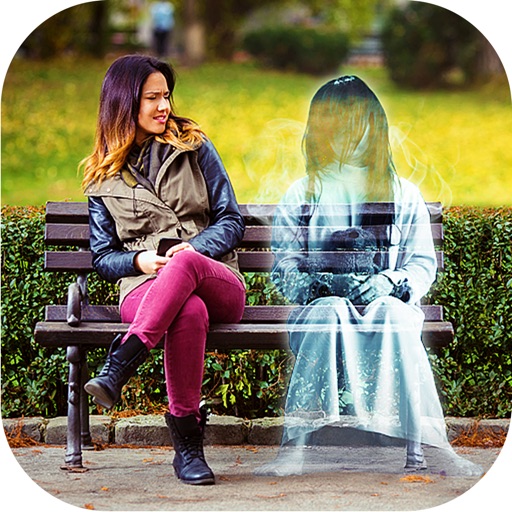
Add ghosts to and using preloaded frames. Select images from the gallery or capture live . Create scary Halloween pictures with effects and UFO or Bigfoot themes. Share edited directly.
Send photos to connected devices and magazines. View and manage devices. Upload images directly from the . Control device settings and monitor content distribution.
Adjust camera settings including exposure, focus, and white balance. Control shutter speed and ISO manually. Preview raw images and apply custom filters. Save and share edited photos directly.
Convert videos and pictures into panoramic 180° or 360° formats for VR viewing. Enable automatic background removal and playback in mixed reality. Adjust view frame size and spacing. Control with Bluetooth handles, mice, or buttonless triggers.
Recreate vintage phone photos with authentic 2006-era settings. Adjust exposure, contrast, and color like an old . Preview images with pixelation and delayed focus. Share edited photos directly.
Use AI to capture long exposure photos. Remove crowds, create light trails, and enhance waterfalls. Adjust exposure settings automatically. Preview and edit images with advanced tools. Share final photos directly.
Create fisheye effects for photos and videos using ultra wide angle emulation. Adjust lens distortion and apply realistic fisheye styles. Capture 360-degree wide angle shots. Preview effects in real time and save edited content.
Transmit photos and videos wirelessly via WiFi. Connect camera devices to iOS devices. Adjust WiFi settings for connection. Stream live footage in real-time. Save and share captured media directly.
Create short videos using 12 Quick Create modes like Many Me, Clone Trail, Magic Edge, and Tiny Planet. Edit footage with one-click effects. Share finished videos directly from the .
Edit photos by drawing on them with adjustable brush sizes and color choices. Use an erase tool and undo/redo functions for precision. Save edited images for later changes or share them directly on social networks.
Upload photos from gallery or UNSPLASH Gallery. Select frames and passepartout options. Use AR mode to visualize images on walls in different sizes and styles. Adjust placement and visual combinations before finalizing.
Enhance low- photos with real-time amplification. Adjust between amplification and exposure modes. Capture details in twilight with up to one-second exposure. View enhanced images instantly without additional hardware.
Apply winter-themed to images. Adjust frame opacity and position. Share edited photos directly. Add text overlays and decorative elements. Export in various formats.
Edit and style baby, pregnancy, and child photos with customizable backdrops and filters. Add text overlays and adjust lighting. Save and share final images directly.