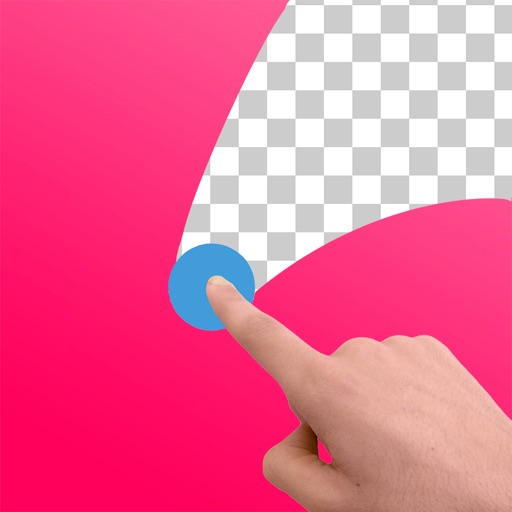
Edit images to remove backgrounds and create transparent images. Use zoom for precise edits. Cut out objects and save as stickers. Export for use in presentations, documents, and image editors.
by Jyoti Virani★ 4.3783 ratingsBusinessFreeData updated 2026-09-06
Remove backgrounds from photos using the magic tool. Manually crop or restore parts of an image. Create stickers and edit outlines for YouTube thumbnails. Export high-quality PNGs without watermarks.
Edit photos and videos with AI-powered tools. Apply instant presets for enhanced visuals. Auto-remove backgrounds and generate captions from speech. Export in multiple formats and share directly.
Remove backgrounds with a single tap. Replace with 800+ virtual templates. Export as transparent MP4 with alpha channel. Adjust resolution to 16:9 or 9:16. Position and scale the top layer transparent .
Edit photos with filters, cropping, and AI enhancements. Adjust colors and brightness. Add text, stickers, and overlays. Create collages and cards. Edit videos with trimming, transitions, and effects. logos, flyers, and social media content.
Create photo collages and composite images by combining up to 11 photos in a single layer. Remove unwanted areas with the background eraser tool. Adjust color tones to enhance image appearance. Export edited photos in various formats.
Remove backgrounds from images using automatic or manual tools. Edit photos with removal, erasing, and recovery brushes. Save and share edited images directly.
Create collages with 20000+ layouts and effects. Add stickers and text to photos. Edit images with cropping and filters. Make videos with carousel and slideshow options. Share directly to Instagram.
Unwanted or background clutter from photos using AI-powered erasing. Reconstruct the background to fill in removed areas. Edit and enhance images with advanced AI technology. Save and share edited photos directly.
Edit photos by removing objects, erasing backgrounds, enhancing quality, expanding canvas, or replacing elements. Generate new images with AI filters. Perform basic edits and apply creative AI effects. Save and share edited photos directly.
Remove backgrounds from images and create transparent or colorful alternatives. Edit colors, apply filters, add borders, and include text. Save edited photos as high-quality PNG or JPEG files.
Remove unwanted parts of photos using precise erasing tools. Change backgrounds with the feature. Undo actions or restore previous edits. Zoom for detailed adjustments and blur edges. Save and share edited images directly.
Remove backgrounds from photos using AI. Select images from the gallery, automatically detect and cut around people or objects. Save as transparent PNG or replace with HD backgrounds. Edit and share edited photos directly.
Create graphics, edit photos, and design videos with customizable templates. Add text, shapes, and effects. Generate videos from text using AI. Export and share across platforms.
Crop photos using a cropping tool. backgrounds and unwanted objects with an eraser tool. Select areas to erase and create transparent backgrounds. Edit images for white or clean backgrounds. Export edited photos and create stickers.
AI automatically detects and removes , people, and backgrounds from photos. Users can edit photos with skin whitening, acne removal, body reshaping, object erasing, background changes, cropping, text addition, and filters.
Edit by removing or changing the background using AI Cutout. Cut out specific areas with the Lasso tool. Blend cut-out elements with different backgrounds. Export edited images.
Photos and videos using AI to expand images, remove objects, and replace or blur backgrounds. Enhance image quality, restore old photos, and create AI-generated scenes. Share edited content directly to Instagram.