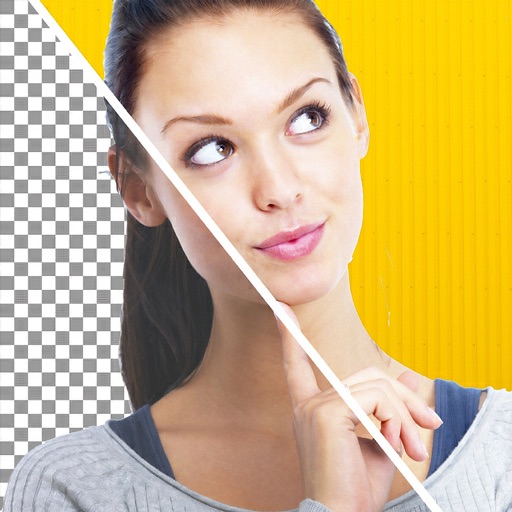
Edit by removing or changing the background using AI Cutout. Cut out specific areas with the Lasso tool. Blend cut-out elements with different backgrounds. Export edited images.
by Zafar Ullah★ 4.332,757 ratingsPhoto & VideoFreeData updated 2026-09-06
Remove from images using AI-powered auto cutout. Star mode enhances edge detection for precise erasing. Auto mode automatically deletes similar pixels. Export transparent images for use as in other apps.
Edit with one-click cutout and batch processing. Remove unwanted elements and replace backgrounds. Create collages and ID . Use templates and stickers for design. Perform multi-layer synthesis and green screen effects.
Remove from images using AI-powered cutout. Select between "Star" mode for edge detection or "Auto" mode for pixel-based erasing. Save transparent images for use as stickers in other apps.
The app offers multi-layer photo editing for creating composites and artwork. It allows users to combine photos, add text, apply filters, and use AI tools for image generation and background editing.
Edit photos by removing objects using lasso, rubber, and restore tools. Add custom backgrounds and share edited images with friends. Cut out objects for realistic results.
Cut out objects from photos using automatic and manual tools including lasso, instant alpha, and eraser. Refine hair and edges for detailed results. Change backgrounds and apply effects to edited images.
Edit photos with layers, filters, and brushes. Adjust brightness, contrast, and color. Add text and stickers. Export in multiple formats and share directly.
Backgrounds from photos using AI-powered tools. Edit photo backgrounds, replace with new ones, and generate PNG files. Save and share edited images directly.
Backgrounds from photos with precision, save images with transparent backgrounds, or replace them with custom ones. Edit photos by adding filters, drawing, inserting text, and applying stickers to create professional images and social media content.
Edit photos with AI-enhanced tools for clarity and resolution. Remove unwanted elements and separate figures or objects. Apply AI skin corrections and custom filters. Adjust HSL and curves for precise color and tone control.
Edit images by cutting out unwanted areas with the lasso tool. Use the magnifier and eraser for precise adjustments. Revert changes and undo errors. Zoom, rotate, and move the foreground. Search Flickr for backgrounds or upload your own.
Create collages with 20000+ layouts and effects. Add stickers and text to photos. Edit images with cropping and filters. Make videos with carousel and slideshow options. Share directly to Instagram.
Remove backgrounds from images by drawing a closed curve. Automatically erase similar color areas for transparent results. Adjust brush size for precise edits. Pan, zoom, and rotate images.
Edit photos by cutting and pasting faces, removing backgrounds, and deleting unwanted people. Add missing faces to photos. Use the silhouette head tool to select and edit elements. Export edited images directly.