Share images directly from the device. Print photos using connected printers. Connect to VMSM systems for media management. NS Image supports image viewing and basic editing functions.
by BIXOLON AMERICA, INC.★ 0.00 ratingsEntertainmentFreeData updated 2026-09-15
View and share humorous image-based on social media platforms like Instagram and Facebook. Send via text message or email to friends. Enjoy visual humor combined with text captions for a lighthearted entertainment experience.
Add realistic Santa, Tooth Fairy, and Easter Bunny stickers to photos. Insert stickers into any image for personalized holiday or celebration scenes. Create custom photo cards and share edited images directly.
Add a realistic ghost to photos of yourself or friends. Select from various images. Edit the photo to place the ghost next to the subject. Share the modified image directly.
Create images with added text, , or poems over photos. Customize text color, size, font, and background. Add watermarks, logos, or QR codes. Share directly to Instagram.
Create interactive print projects by adding video content to images. Layer videos on photos to transform postcards into highlight reels, invitations into welcome videos, or ads into product demos. Share the resulting content with others.
The app allows selective editing of photos with filters, effects, and adjustments. Users can apply multiple effects to specific areas or the entire image, offering extensive creative possibilities.
Mirrors iOS device screens to TVs wirelessly. Users can stream videos, photos, and apps to large screens. Supports casting without cables or additional hardware. Allows playback of media content directly on TV.
Set wallpapers and lockscreen backgrounds with HD and 4K images from . Choose from high-quality images for personal use. Select images for social media profile photos on platforms like Facebook.
Cast videos, photos, and music from device storage or cloud services to TV. Control playback with full controls, queue management, and media selection. Stream web videos and cast content from Dropbox and Google Drive.
Create art using 1x1 themed squares. Choose from multiple color options. Save images to device, share via social media, or print for display. Draw classic 8-bit sprites or -themed artwork.
Convert black and white images to using selective recoloring. Select photos from the gallery or capture new ones. Pan and zoom for precise editing. Resize and fit images to the screen. Use redo and undo features for error correction.
Connect with others through casual conversations and relaxed flirting. Send and receive messages, view profiles, and initiate conversations. Filter users by location and interests. Share photos and videos. Join group chats and events.
Scenes using numbered sections. Select from various biblical themes. Save and share completed colorings. Access instructions and tips for each image. Sync progress across devices.
Edit photos with stretching, squeezing, pinching, and prodding tools to create surreal effects. Apply advanced image manipulation techniques similar to professional software. Export edited images in various formats and share directly.
Control your Smart TV remotely using your device. Connect via WiFi to manage volume, source, power, channel, and smart features. Supports Samsung, LG, and other brands. Use as a free virtual .
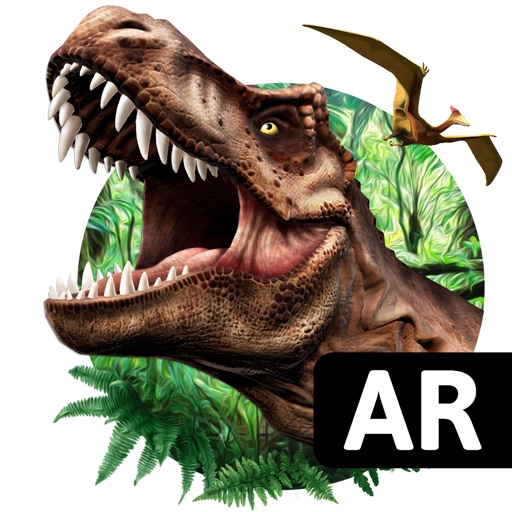
Explore augmented reality dinosaurs and creatures using your device's camera. Place virtual monsters in real- environments. Walk alongside them, take photos, and record videos. Adjust creature size and movement. Share media directly.
Record videos with facial tracking to animate photos as celebrities, politicians, or paintings. Switch between multiple faces in a single image. Share videos on social media platforms like Instagram, TikTok, and Facebook.
Access verses paired with Christian images for and prayer. View scripture explanations, save favorite verses, and set reading goals. Share verses and images with others.