Learn through frequent words in context. Study vocabulary lists, review words with flashcards, and test knowledge with quizzes. Track progress and set learning goals. Sync with Apple Health for exercise tracking.
Learn basic operations including addition and subtraction up to 20, adding tens, and identifying missing numbers in sequences. with unlimited access to educational content and over 500 quizzes.
Solve equations using two points, one point and slope, or coordinate values. Input decimals and fractions. View step-by-step solutions and plot results. Save calculation history and share final solutions.
Practice with quizzes covering arithmetic operations. Solve problems with varying difficulty levels. Access free printable workbooks. Remove ads to unlock offline mode and all features.
Teaches coding concepts through puzzle-solving. Guide a robot to light up tiles using commands. Learn procedures, loops, and conditionals. Includes levels designed for educational use. Supports classroom and home learning environments.
Contains a directory of standard and SQL operations. Provides code examples from books and online resources. Includes ready-made code for problem-solving. Useful for exam and interview preparation. Available on iOS and macOS.
Solve equations using two points, one point and slope, or coordinate values. Input decimals and fractions. View step-by-step solutions and plot graphs. Store calculation history and share final results.
Access FAA Private Written Exam practice tests and an E6B flight computer for cross-country planning and aircraft performance calculations. Offline ground school content is available for offline learning.
Practice with arithmetic exercises covering multiple difficulty levels. Solve problems in various categories. Download a free printable workbook. Remove ads to access offline mode and all features without internet.
Offers a searchable database of terms and abbreviations across multiple sections. Users can define terms, flag important entries, and create custom reference lists. The provides a clean interface for quick access and efficient learning.
Flight Management System Trainer provides flight simulation with accurate FMS functions. Users can practice navigation, performance calculations, and approach procedures.
Calculate percentages, find the total, or determine the part. Input two values to automatically compute the third. View detailed step-by-step calculations. Share the complete solution with others.
A competitive game with a grid-based to place four tokens in a row. Answer questions in categories like Trivia, Math, and Geography. friends, against the computer, or use Game Center for opponents. Track progress and compete in real-time matches.
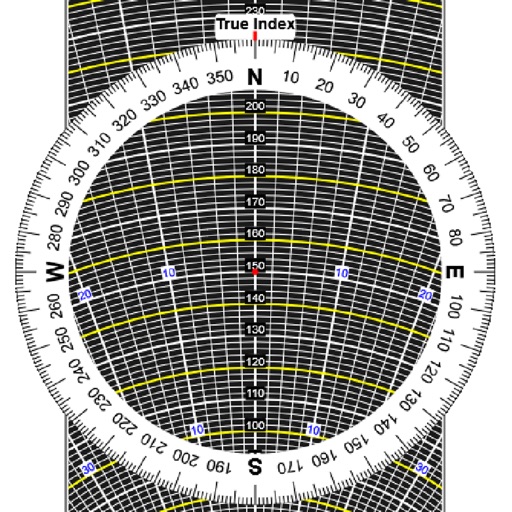
Perform aeronautical calculations including wind correction, fuel planning, and time-speed-distance. Input data to compute required values. Access multiple calculation modes and reference charts. Save and review calculation history.
Learn aircraft systems with interactive hydraulic, electric, fuel, and bleed air . Manipulate switches to visualize system responses and practice failure scenarios. Simulate procedures and observe outcomes to reinforce understanding.