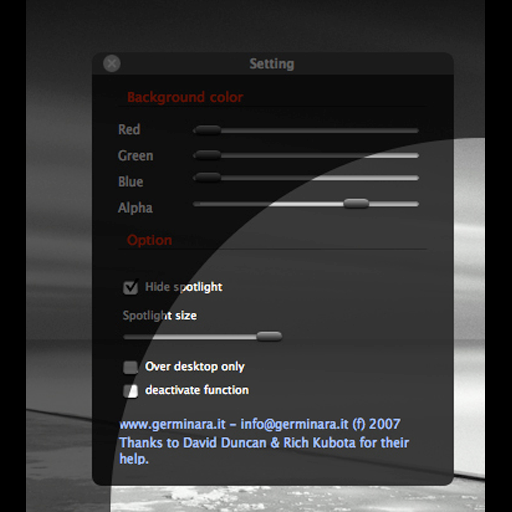
Adjust screen brightness with a spotlight beam that follows the mouse pointer. Set spotlight size and dimmer background color. Toggle the effect using CMD ALT and access settings with CTRL ALT.
Take screenshots with a keyboard shortcut. Add frames and annotations to images. Copy and paste screenshots as text. Share directly to social media and other platforms.
Securely browse the internet and stream content with encrypted connections. Access servers in 70+ countries. Protect online privacy and data transmission. Enable split tunneling to route specific apps through the VPN.
Manage work tasks with live transcription and real-time search. Save screenshots and local audio files. Translate text using non-Latin script romanization. Use AI for auto responses, summaries, and Q&A. Export notes in .txt or .md formats.
Control and monitor music software and hardware via OSC and MIDI protocols. Send and receive messages over Wi-Fi or CoreMIDI. Connect to DAWs like Logic Pro, Ableton Live, and Pure Data. Adjust parameters in real time and receive feedback.
MidiController allows iPhone or iPad to function as a via USB, WLAN, or Bluetooth. Send notes, continuous values, and program changes to connected devices. Customize unlimited Pushes, Buttons, and Sliders with adjustable values and behaviors.
Create and manage projects on iOS. Edit and execute code, generate results and plots via Verbosus. Access a dedicated server for computation. View and export plots directly from the .
TV functions from a smartphone. Navigate channels, adjust volume, and access settings. Manage input sources and power settings. Pair with multiple TVs. Sync with smart home systems for integrated .
Displays drone location with altitude, yaw, pitch, and battery status. Connects via WiFi, Bluetooth Low Energy, or Cellular. Supports ArduCopter, ArduPlane, and ArduRover via MAVLink. Tracks flight data and allows remote control.
Control audio zones and adjust volume settings. Manage DVD playback and AM/FM radio. Access system music player. Switch between modes and power off the device.
Control -SYS systems via iOS device. Manage source selection, PTZ camera controls with video preview, lighting dimmers, projector on/off, signal meters, screen movement, snapshot recall, and volume adjustments.