Place a virtual box of adjustable size on AR space. Choose optional textures for the box. Detect planes to position the box accurately. Supports iOS 11 and later on specified iPhone models.
by Takuya Azumaguchi★ 5.01 ratingsUtilitiesFreeData updated 2026-09-06
Detect electromagnetic field fluctuations using the device’s magnetometer. Display real-time EMF readings and energy levels. Record and analyze EVP, ITC, and spirit box sessions for paranormal investigation.
Scan objects using AR to create high-definition 3D models locally on your device. Share models as files, via messages, or to Sketchfab. Generate models from artworks, toys, and other physical items using Apple's photogrammetry framework.
Provide conversation starters with a fun interface. Select random to spark discussions. Share with friends or save favorites for later use. Organize topics into categories for different settings.
Track and manage ammunition inventory with detailed logging of box contents, usage, and range sessions. Add notes, set reminders, and view usage statistics. Export data and sync across devices.
Stay updated with , trailers, and box data from trusted sources. Follow actors, directors, and films. Engage in discussions, comment on posts, and vote in polls. Watch trailers and track upcoming releases.
Upload documents directly to folders with a single tap. Link and specify folders once, then switch between multiple Box folders during uploads. Choose to upload original files or as a compressed zip.
Watch live TV channels and on-demand content from your Pay TV provider. Browse program guides, schedule recordings, and control your DVR or set-top box. View recorded content and manage playback settings.
Open and zip from any source. Access stored in cloud services like Dropbox, Box, iCloud, Google Drive, and One Drive. Export and share individual from zip archives. Import and save WhatsApp chat backups as zip .
Watch live TV channels in high definition without a set-top box. Record shows using cloud DVR with up to 300 hours of storage. Add devices and expand storage for an extra fee. Include sports channels and other favorite programming.
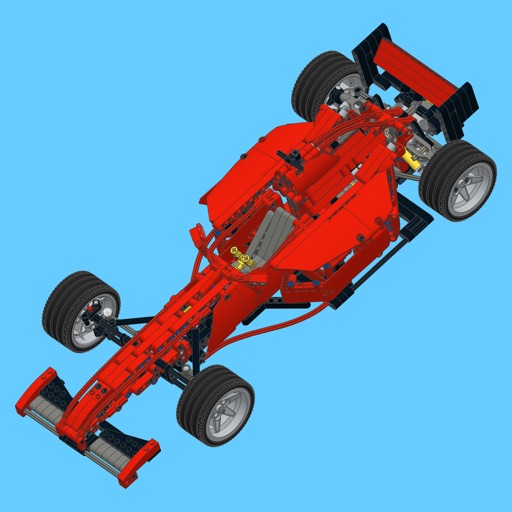
Build a Technic supercar using step-by-step instructions with large images and a parts list. Highlight new parts and access building guides for the MOC. Share feedback or reviews to help improve future MOC uploads.
Add to iMessage conversations. Tap the Store icon in iMessage, navigate to the Manage tab, and install the stickers. Use them in messages by tapping the icon and selecting from the collection.