Create drawings with Apple Pencil support. Use grid or lined backgrounds. over existing images. Save square images. Add widgets to showcase drawings on the home screen. Enable multitasking and multi-window features on iPadOS.
by Bao Lei★ 4.74,002 ratingsProductivityFreeData updated 2026-09-15
Allows users to draw on their iPhone or iPad using 10 different pens, including ball pen, pencil, and brush. Users can create various line shapes and images. Drawings can be saved and shared directly from the device.
Create Minecraft skins by selecting clothing items and customizing features like hair, face, eyes, and mouth. Add drawings for extra details. Export skins for Minecraft PE and PC.
The sword's path to defeat enemies. Avoid obstacles and survive waves. Customize character skills and upgrade weapons. Track progress and unlock new levels. Play offline with saved game data.
The app uses live-calculated brushes and strokes with HDR values for a unique art style. It offers gritty paper/canvas textures that interact with drawing tools for a satisfying look.
Solve puzzles by matching colors and shapes. Clear levels by completing patterns. Earn points and unlock new challenges. Track progress and compete with friends. Share achievements on social media.
Create stickmen using simple drawings. Customize characters with different body parts and expressions. Solve puzzles and complete challenges to unlock secrets. Share drawings and collect unique artwork.
Create symmetric kaleidoscope patterns, mosaics, and fractals. Customize colors, shapes, and brushes. Use free-form zooming and add stickers. Adjust settings for unique designs. Save and share artwork.
Take notes, draw, and sketch using Apple Pencil. Annotate PDFs, Excel, Keynote, and Numbers files. Create lists, memos, and organize notes. Export notes in multiple formats.
Take notes with hand-drawn sketches, text, and diagrams. Use Apple Pencil for writing and drawing. Navigate pages with gestures and undo actions. Export notes to PDF. No ads or data collection.
Take notes, sketch, and plan in a single with realistic ink and paper. Create custom tools and choose from colored paper types. Collaborate on documents and sync notes across devices. Write and draw with infinite width pages.
The app offers a digital coloring experience with over 120 free animal pictures. It features a stay-in-line brush, nine brushes for painting and drawing, and 50 pattern brushes for a unique coloring book and drawing pad.
Create and customize vehicle designs. Choose colors, parts, and accessories. Test vehicles on tracks with physics-based collisions. Save and share creations. Compete in multiplayer races. Adjust settings for difficulty and game modes.
Create intelligent sketches and drawings with layer management. Add markup for communication. Work through all design phases with fluid tools. Support for architectural and industrial design workflows.
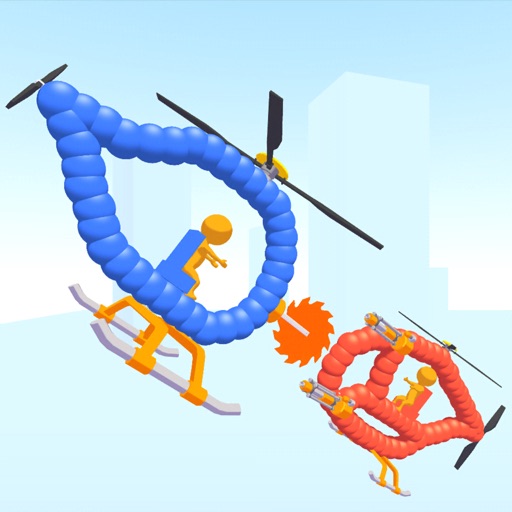
Create custom helicopters with drawing tools, select from guns, machine guns, and lasers. Battle enemies in increasing difficulty levels. Progress through stages to face stronger opponents. Play freely without cost.
Create drawings with realistic pencil, marker, and crayon tools. Choose from bright and soft color options. Use notebook-style pages for sketching, doodling, or coloring. Save and share drawings directly.
A blade for a spinning top and battle opponents. Customize blade attributes like speed, power, and ink. Earn fight money to upgrade your spinner's abilities and enhance performance.