Create and customize stickers with text, emojis, and images. Share stickers with friends via messaging apps. Access a collection of themed stickers for different occasions. Add personal notes to stickers for reminders.
by Taishi Chihara★ 5.03 ratingsStickersFreeData updated 2026-09-15
Attach stickers to messages for added fun. Choose from a variety of cute and humorous options. Customize size and position. Share stickers across platforms. Edit content before sending.
Add stickers to iMessage conversations. Choose from 15 animated stickers showing different emotions like happiness, sadness, love, or anger. Customize appearance and send directly within messages.
Send Bible verses as stickers in iMessage. Include scriptures about and common religious greetings. Add stickers to messages to convey blessings and love. Share faith-based messages quickly and creatively.
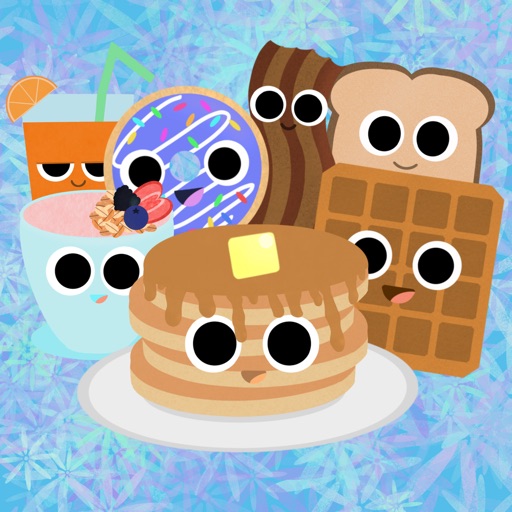
Send animated of items like spinning cinnamon rolls and syrupy pancakes. Add food and drink-themed emojis to messages. Share with contacts to personalize conversations.
Send stickers to express feelings in iMessage. Choose from over 50 -themed stickers. Tap to send stickers directly. Add stickers to text by touching and peeling them off.
Use stickers featuring a cheering mascot and iconic gaming moments. Customize messages with animated graphics. Share stickers across platforms and save favorites for quick access.
Send stickers to messages by tapping the sticker pack in iMessage. Choose from cat emojis. Paste stickers directly into conversations. Add stickers to iMessage via Store or Manage tab.
Use stickers featuring large and small hummingbirds. Include 8 AI-generated hummingbirds with . Add animated stickers separately. Available in various sets from the same developer.
Add animated to messages. Choose from various styles and colors. Share stickers with contacts. Customize size and position. Animate stickers to move across the screen.
Use stickers featuring cute Inu dogs. Add them to iMessage conversations by accessing the stickers section within the Messages . Tap the sticker icon to select and send. Manage sticker availability through the iMessage store settings.
Apply -style faces to photos, messages, and social media. Replace faces with customizable comic expressions. Share stickers via iMessage and use as meme creators. Edit images by adding or removing faces. Save and reuse designs.
Create and share hand-drawn stickers featuring strong-looking dogs. Choose from Bull Terrier, American Bull Terrier, English Bulldog, Boxer, Frechie, and Pug. Customize stickers with text and effects. Export and share directly.
Add festive cheer to iMessage with animated GIF stickers. Choose from -themed animations featuring Santa, reindeer, trees, and snowflakes. Share stickers in conversations and customize messages with holiday visuals.
Create and share custom with university branding. Access exclusive sticker designs featuring logos and campus imagery. Save and organize in personal collections. Share via messaging apps and social media platforms.
Send message stickers in iMessage. Tap to add stickers to messages, photos, or bubbles. Stack stickers in conversations. Scale and rotate stickers as needed. Manage stickers through the drawer.
Islamic stickers provides access to a collection of carefully designed Islamic stickers. Users can install stickers on their device and add them to their sticker list.
Use to send and receive animated stickers. Customize size and position. Share stickers via messages or social media. Add text overlays and adjust colors. Save stickers to favorites for quick access.
Share festive greetings with animated stickers featuring traditional Eid Al themes. Customize messages with holiday-specific animations. Send stickers via messaging apps. Access a variety of festive designs for celebrations.
Create and customize with editable text, images, and colors. Add animations and sounds. Share via messages, social media, or email. Save and organize sticker packs in folders. Export in various formats for use in other apps.