Create and customize stickers with text, emojis, and images. Share stickers with friends via messaging apps. Access a collection of themed stickers for different occasions. Add personal notes to stickers for reminders.
by Taishi Chihara★ 5.03 ratingsStickersFreeData updated 2026-09-15
Use stickers to express emotions and actions. Send stickers by touch or drag and drop. Zoom and rotate with two fingers. Includes expressions like wink, confused, and dancing. New stickers added over time.
Create stickers by pointing your phone at an object, capturing it, and removing the background. Add borders, shadows, text, or accessories. Export stickers for use in iMessage, WhatsApp, Telegram, or Instagram.
Add stickers to messages by tapping and selecting from 24 options. Drag stickers onto message bubbles or other stickers. Rotate and scale stickers using a second finger before placing them.
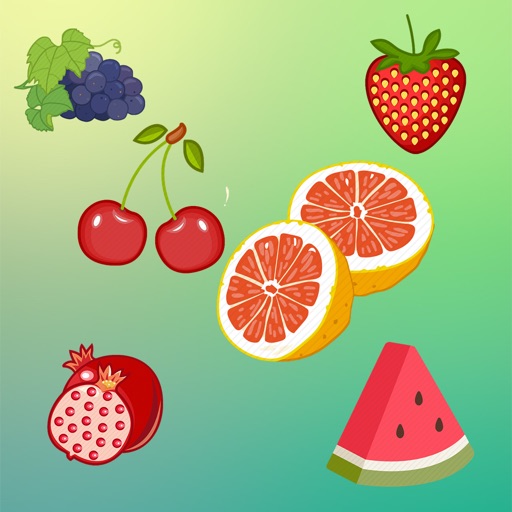
Use fruit-themed stickers to send messages or reminders. Add stickers to chats, create custom sticker packs, and share with friends. Include animations and sound effects for added fun.
Use stickers to add messages in iMessage. Select and place stickers in message fields or drag them onto message bubbles. Includes 20+ original and Tiger designs.
Create and customize stickers with a variety of characters and themes. Add text, emojis, and animations. Share stickers via social media or messaging apps. Save and organize created stickers in personal folders.
Create packs by dragging and dropping images into the . Cut objects from photos to design custom stickers. Edit stickers to enhance their appearance. Export stickers to iMessage, WhatsApp, and Telegram.
Access Islamic stickers and labels. Browse categories like prayers, Quran, and Islamic events. Download and save stickers. Share via messaging apps. Customize with text and images. Apply to messages or social media posts.
Send and receive animated stickers featuring cute pixel . Choose from 26 animated and 15 static options. Add stickers to messages, customize placement, and share across platforms.
Create and share stickers featuring and Automattic mascots like Wapuu and Drake. Add "Woo!" WooCommerce stickers to messages. Customize stickers with community-designed variations. Share stickers in chats and social media.
Share customizable stickers featuring vehicles, off-road gear, and hand gestures. Add stickers to messages, social media, or emails. Customize sizes and colors. Download free lifetime updates without in- purchases.
Add animated stickers to messages in chatrooms. Tap to insert stickers into message bubbles. Drag stickers onto messages or other stickers. Rotate and scale stickers using a second finger.
Send -themed stickers featuring hand-drawn illustrations of various types. Choose from 60 designs representing different styles and origins. Drag and drop stickers onto existing messages or send as individual messages.
Use -themed stickers to personalize messages. Add stickers to text, emails, and social media posts. Choose from various expressions and animations. Share stickers with contacts or save for later use.
Create and share custom stickers with friends via iMessage. Choose from 36 packs featuring an adorable girl character. Collaborate with artists to publish and sell stickers globally. Integrate stickers for brand marketing partnerships.
Add stickers featuring characters like Kermit, Miss Piggy, and Fozzie Bear to iMessage conversations. Select and send stickers directly from the iMessage interface. Browse and download additional sticker packs from the drawer.
Use stickers depicting key biblical moments like the nativity and resurrection. Include symbols of faith such as the cross and Bible. Feature designs based on ’s miracles and teachings. Share stickers in messaging apps and social media.
Animated eel and garden eel stickers. Choose from Greyface, Yellow, Zebra, Snowflake, Ribbon, Spotted Garden, Banded Garden, Dragon, and Fangtooth . Add stickers to messages. Customize sticker size and position. Share directly on social media.